Heim Apps Business Office Hancom Docs(Office): View&Edit
Hancom Docs(Office): View&Edit

Hancom Docs(Office): View&Edit

4.2
Herunterladen
Herunterladen
Anwendungsbeschreibung

HancomDocs: Ihre mobile Dokumentenlösung

HancomDocs ist die ultimative mobile App für den Zugriff auf und die Bearbeitung von Dokumenten unterwegs. Sein für Mobilgeräte optimiertes Design ermöglicht Ihnen die nahtlose Anzeige und Bearbeitung einer Vielzahl von Dateitypen, darunter HWP-, Word-, Excel-, PowerPoint- und PDF-Dokumente. Genießen Sie die reibungslose Integration mit Hancom Office und Microsoft Office und schaffen Sie ein vertrautes und benutzerfreundliches Erlebnis.

Hauptmerkmale:

  • Vielseitige Dokumentenverwaltung: Verschiedene Dokumentformate anzeigen und bearbeiten und so Flexibilität für alle Ihre mobilen Arbeitsanforderungen bieten.
  • Sicherer Cloud-Speicher: Verwalten und schützen Sie Ihre Dokumente in einem einheitlichen Cloud-Bereich, auf den über Telefone, Tablets und Desktops zugegriffen werden kann.
  • Mühelose Zusammenarbeit:Teilen Sie Dokumente und arbeiten Sie mit anderen zusammen, um eine reibungslose Teamarbeit an Projekten zu ermöglichen.
  • Professionelle Vorlagen: Beginnen Sie mit professionell gestalteten Vorlagen, um schnell ausgefeilte Dokumente zu erstellen.
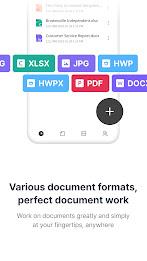
  • Breite Formatunterstützung: Arbeiten Sie mit einer Vielzahl von Dateitypen, einschließlich HWP, HWPX, DOC, DOCX, PPT, PPTX, XLS, XLSX, CSV, PDF, TXT und mehr.
  • Intuitive Benutzeroberfläche: Genießen Sie eine benutzerfreundliche Benutzeroberfläche, die für mobile Geräte optimiert ist und eine hohe Kompatibilität mit Hancom Office und Microsoft Office bietet. Mehrsprachige Unterstützung ist ebenfalls verfügbar.

HancomDocs ist ein umfassendes Dokumentverwaltungs- und Bearbeitungstool für Android-Geräte. Mit seinen robusten Funktionen, einschließlich Cloud-Speicher, Funktionen für die Zusammenarbeit und Unterstützung zahlreicher Dateiformate, bietet es eine bequeme und effiziente Lösung für die Verwaltung Ihrer Dokumente. Laden Sie HancomDocs noch heute herunter und optimieren Sie Ihren Dokumenten-Workflow.
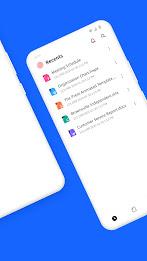
Hancom Docs(Office): View&Edit Screenshot 0
Hancom Docs(Office): View&Edit Screenshot 1
Hancom Docs(Office): View&Edit Screenshot 2
Hancom Docs(Office): View&Edit Screenshot 3
Rezensionen Kommentar schreiben
Alex Aug 05,2025

Great app for editing docs on the go! Smooth interface and supports multiple file types like Word and PDF. Sometimes lags with large files, but overall very useful.

Beliebte Apps Mehr +
2.0.0 / 16.1 MB
1.51 / 34.00M
6.2.4 / 11.30M
3.3.4.102475 / 79.60M
Neueste Apps Mehr +
Absolutely! Here's a polished, engaging, and professional version of your original content—optimized for a website, app store description, or promotional campaign—while preserving all the key features and energy: 🌟 مانجا اون لاين – Your Ultimate Mob
Mode Lifestyle | 65.30M
Absolutely! Here's a refined, professional, and engaging version of your original content—optimized for clarity, impact, and user appeal—perfect for use on a website, marketing email, or product landing page: Credible Care: Empowering Community-Base
Mode Lifestyle | 13.30M
Absolutely — here’s a polished, engaging, and action-oriented version of your message, optimized for clarity, impact, and user engagement across social media, websites, or public service announcements: Stay Safe. Stay Informed. Stay Ready with the F
Werkzeuge | 22.1 MB
Here's a clear, concise, and user-friendly summary of the Huawei HiLink App, perfect for including in product documentation, FAQs, or marketing materials: 📱 Huawei HiLink App – Your Central Hub for Smart Home & Mobile Connectivity The Huawei HiLink
Dive Into the World of Manga with Azuki – Your Ultimate Manga Reader App Whether you're a seasoned manga enthusiast or just starting your journey, Azuki – Manga Reader App is your gateway to a vibrant, legal, and immersive world of Japanese comics. W
Business Office | 28.5 MB
It looks like you've shared the Send Anywhere app's feature description, usage guide, and permission details — likely for reference or to understand how the app works. Here's a clear, concise summary and explanation of what this means, along with tip