Explore the World Offline with Guru Maps - Offline Navigation
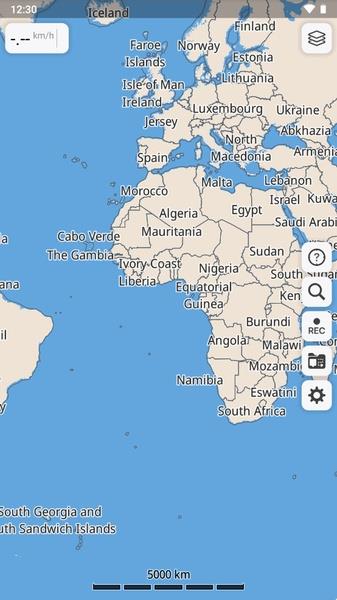
Discover the world without the need for an internet connection with Guru Maps - Offline Navigation. This incredible app allows you to download high-resolution maps of any country or city directly to your Android device. With monthly updates to keep the information accurate and up to date, you can trust that you'll always have access to the latest map data. Unlike other map apps, Guru Maps - Offline Navigation also offers the option to superimpose different layers onto the maps, giving you even more information at your fingertips. Say goodbye to roaming charges and the frustration of losing signal - Guru Maps - Offline Navigation is your ultimate travel companion.
Features of Guru Maps - Offline Navigation:
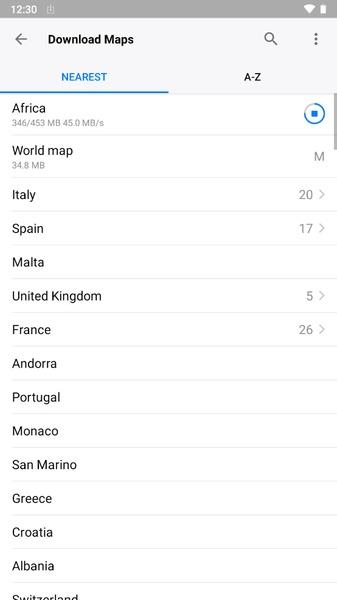
- Offline Map Download: The app allows you to download high-resolution maps of any country or city in the world directly to your Android device, without the need for an internet connection.
- Regular Updates: The maps are based on OpenStreetMap data and are regularly updated to fix bugs and add missing elements, ensuring accurate and up-to-date information.
- Online Usage: In addition to offline maps, you can also use the app online like a normal map app to find the fastest route home or search for different types of locations, such as hospitals, supermarkets, ATMs, or government buildings.
- Easy Map Download: The app provides a simple and convenient way to download maps. Just access the map download section and choose the desired country from the alphabetical list, with most maps taking up minimal space on your device.
- Multiple Detailed Maps: For countries like Spain, the United States, China, and Great Britain, the app offers the option to download more detailed maps specific to regions, allowing for more accurate navigation.
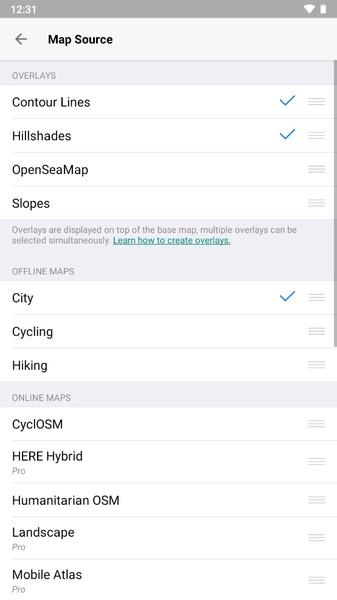
- Additional Map Layers: With Guru Maps - Offline Navigation, you can superimpose different layers on your maps. Activate layers such as Contour Lines, Hillshades, Slopes, and OpenSeaMap to access additional information.
Conclusion:
Guru Maps - Offline Navigation is an outstanding offline map app that provides the convenience of navigating any part of the world without requiring roaming or internet connectivity. It offers regularly updated maps, easy map downloads, and the ability to use the app online when necessary. With minimal storage space required and the option to add informative layers, this app is a must-have for travelers and individuals seeking reliable offline navigation. Click now to download and explore the world effortlessly.