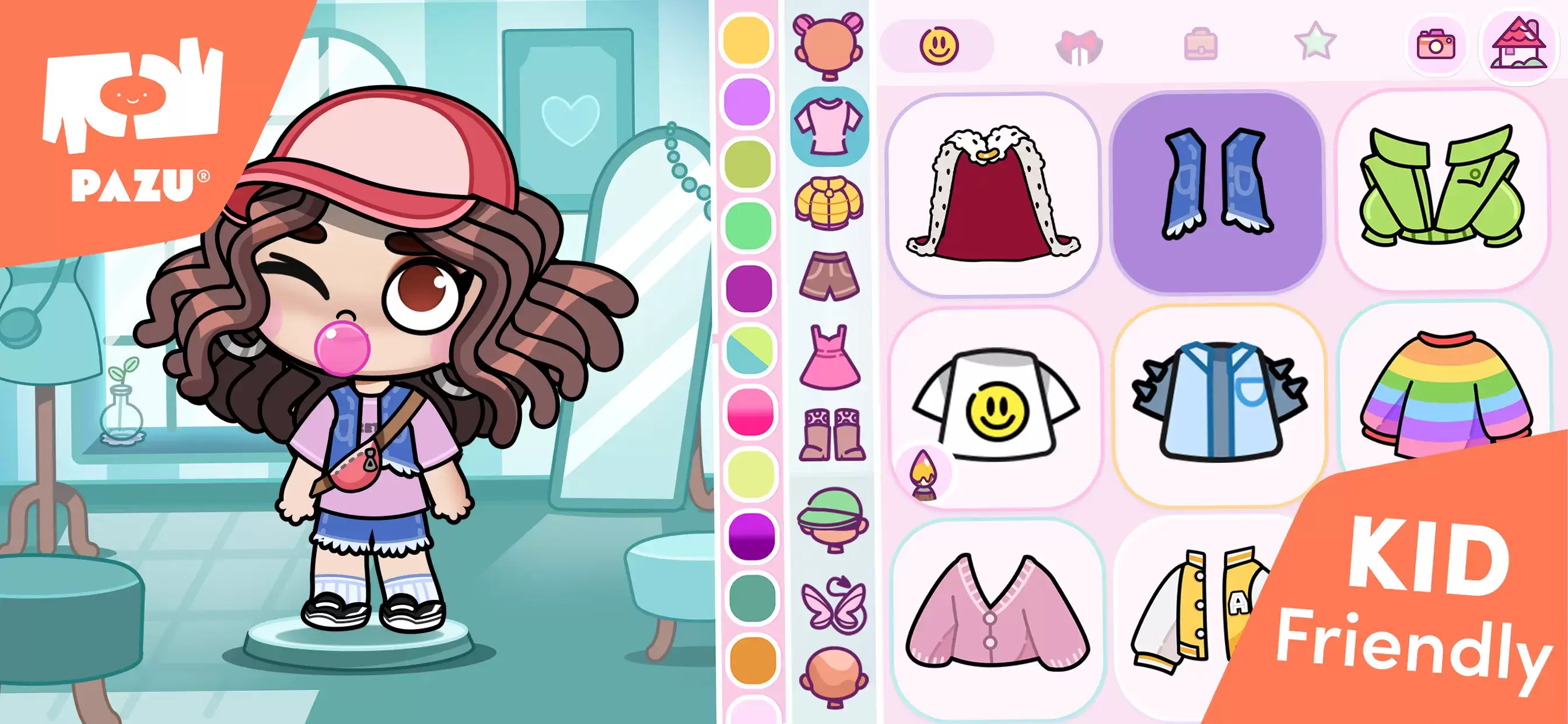
Character customization in Avatar World is a thrilling feature that lets players craft avatars that embody their unique style, personality, and creativity. The game offers an expansive array of options, from choosing body types and selecting facial features to mixing and matching outfits. Whether you're aiming for a casual, everyday look or an extravagant style, Avatar World equips you with the tools to realize your vision. This guide will navigate you through the entire customization process, ensuring you maximize the potential of the character creation system.
Accessing the Character Creator
Your journey into avatar customization begins at the character creator. Launch Avatar World and tap the avatar icon located in the top-right corner of the main screen to enter the customization interface. Here, you have the power to tweak everything from your avatar's body type and skin tone to their hairstyles and accessories. Should you wish to alter your avatar's appearance later, you can revisit this menu anytime. Avatar World encourages endless creativity, ensuring you're never confined to a single design.
Selecting a Body Type
The initial step in crafting your avatar is selecting a body type. Avatar World offers three distinct sizes to cater to your creative vision:
- Child – Opt for a smaller, youthful appearance that's perfect for playful and energetic avatars.
- Teen – A balanced middle ground, this option provides a stylish and flexible look.
- Adult – Choose this for a taller and more mature figure, ideal for sophisticated or professional characters.
The body type you select sets the proportions of your avatar but does not restrict your clothing choices—all outfits are available across all body types.
Tips for Effective Customization
- Experiment with different styles – There's no one-size-fits-all approach to customization. Feel free to experiment with various combinations until you find the perfect look that resonates with you.
- Explore in-game clothing stores – Some unique outfits and accessories are exclusive to fashion stores found within the game's mall.
- Use color editing – Many clothing items allow you to tweak colors, enabling you to match your outfits to your preferred style.
- Mix and match outfits – Instead of sticking to pre-made full outfits, combine different clothing items for a more personalized and unique appearance.
- Adjust expressions for storytelling – If you're into role-playing or creating stories, changing your avatar's facial expressions can enhance the narrative and bring your scenes to life.
Character customization in Avatar World is your canvas for expressing creativity through a vast range of options. Whether you're designing a casual, formal, or playful look, the game offers endless possibilities for personalization. By following this guide, you can create an avatar that truly represents your style and personality.
For an enhanced gaming experience, consider playing Avatar World on a PC with BlueStacks, which offers improved controls and a larger screen for an immersive gameplay experience.