*Avowed*, a graphical marvel, immerses you in a richly detailed world. To fully appreciate its stunning visuals without sacrificing performance, optimizing your PC settings is key. This guide helps you strike the perfect balance between breathtaking graphics and a smooth, high frame rate experience.
Recommended Videos Related: Beginner’s Guide to *Avowed*
Understanding *Avowed*'s System Requirements
Before tweaking settings, ensure your PC meets Avowed's requirements. Meeting the minimum specs guarantees playability, while exceeding the recommended specs unlocks the highest visual fidelity. A system between minimum and recommended will likely provide a satisfying experience. High-resolution displays and high refresh rates, however, demand a more powerful system.
Minimum Specifications:
- OS: Windows 10/11
- Processor: AMD Ryzen 5 2600 or Intel i5-8400
- Memory: 16 GB RAM
- Graphics: AMD RX 5700, Nvidia GTX 1070 or Intel Arc A580
- DirectX: Version 12
- Storage: 75 GB available space
Recommended Specifications:
- OS: Windows 10/11
- Processor: AMD Ryzen 5 5600X or Intel i7-10700K
- Memory: 16 GB RAM
- Graphics: AMD RX 6800 XT or Nvidia RTX 3080
- DirectX: Version 12
- Storage: 75 GB available space
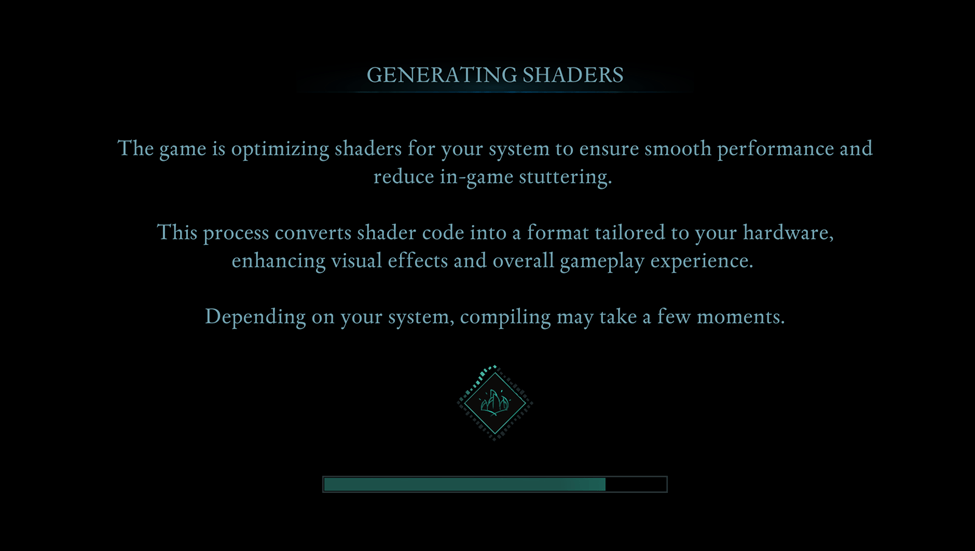
For optimal gameplay, allow the game to generate shaders uninterrupted during its first run.
Optimizing Basic Graphics Settings
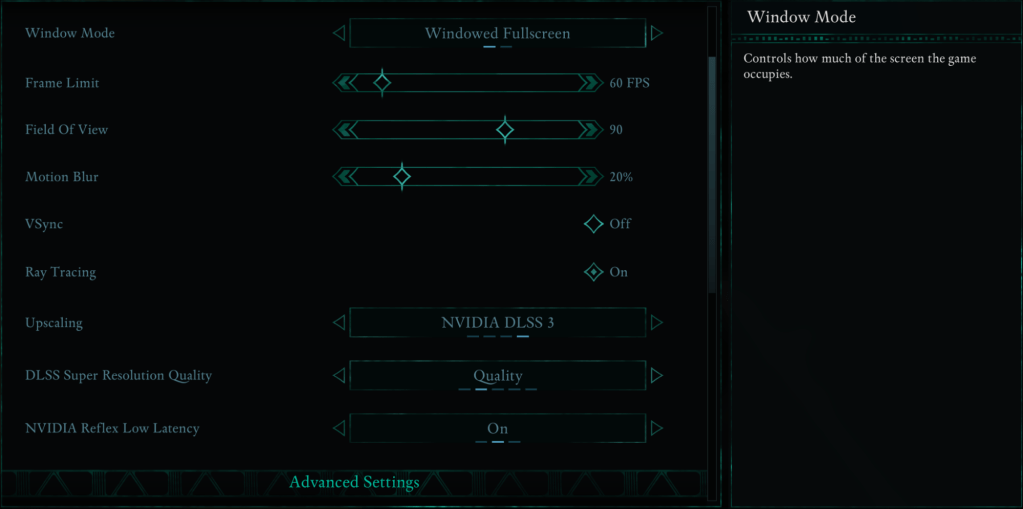
These settings significantly impact your experience:
- Resolution: Use your monitor's native resolution for optimal sharpness.
- Window Mode: "Windowed Fullscreen" offers easy app switching; "Fullscreen Exclusive" minimizes input lag.
- Frame Limit: Match your monitor's refresh rate or use 60 FPS as a balanced alternative. This stabilizes performance.
- VSync: Disable for reduced input lag, but enable if you experience screen tearing.
- Field of View: 90 degrees provides a balanced perspective.
- Motion Blur: Disabling creates a clearer image, particularly during fast-paced action.
Advanced Graphics Settings Breakdown
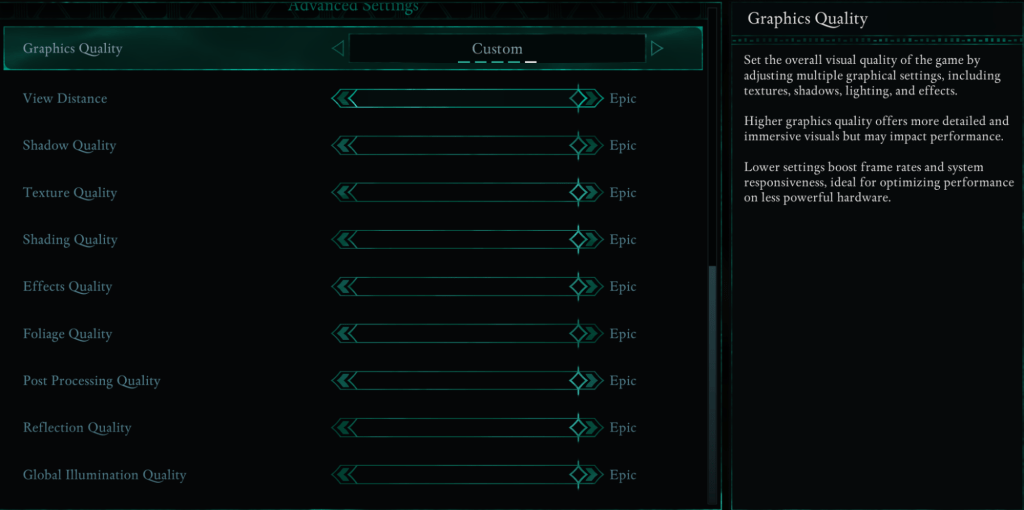
These settings control visual detail and performance. Lowering certain settings drastically improves FPS with minimal visual impact.
| **View Distance** | Affects how far objects render. Higher settings increase detail but lower FPS. |
| **Shadow Quality** | A major performance factor. Lowering this significantly improves FPS. |
| **Texture Quality** | Controls surface detail. Higher settings demand more VRAM. |
| **Shading Quality** | Impacts lighting depth. Lower settings reduce realism but boost performance. |
| **Effects Quality** | Affects visual effects (fire, magic). Higher settings look better but require more GPU power. |
| **Foliage Quality** | Determines grass and tree density. Lowering improves FPS. |
| **Post Processing Quality** | Enhances visuals (bloom, blur). Reducing saves performance. |
| **Reflection Quality** | Impacts water and surface reflections. High settings look great but reduce FPS. |
| **Global Illumination Quality** | Controls realistic lighting. High settings improve atmosphere but impact performance. |
Best Settings for Minimum Requirement PCs
For PCs meeting minimum requirements (GTX 1070/RX 5700, Ryzen 5 2600/i5-8400, 16GB RAM), prioritize 60 FPS with acceptable visuals:
Recommended Settings for Low-End PCs
- Graphics Quality: Custom (Balanced between Low and Medium)
- View Distance: Medium
- Shadow Quality: Low
- Texture Quality: Medium
- Shading Quality: Low
- Effects Quality: Medium
- Foliage Quality: Low
- Post Processing Quality: Low
- Reflection Quality: Low
- Global Illumination Quality: Low
These settings should deliver 50-60 FPS on lower-end PCs with minimal visual compromise.
Best Settings for Recommended Requirement PCs
For PCs meeting recommended requirements (RTX 3080/RX 6800 XT, Ryzen 5 5600X/i7-10700K, 16GB RAM), aim for a balance of performance and visual quality:
Recommended Settings for Mid-Range PCs
- Graphics Quality: Custom (Mix of High and Epic)
- View Distance: High
- Shadow Quality: Medium
- Texture Quality: High
- Shading Quality: High
- Effects Quality: High
- Foliage Quality: High
- Post Processing Quality: High
- Reflection Quality: Medium
- Global Illumination Quality: High
High-end PCs can maximize all settings to "Epic" for optimal visuals and FPS.
*Avowed* is available now for PC and Xbox Series X|S.