Navigating the Path of Exile 2 Trade System: A Comprehensive Guide
While solo play is an option in Path of Exile 2, collaborating with others often proves beneficial. This guide details the trade market and its mechanics.
Trading Methods in Path of Exile 2
Two primary methods facilitate item exchange: direct in-game trading and utilizing the official trade website. Both are explained below.
In-Game Trading
If you share a game instance with another player, right-click their character and select "Trade." Both players then choose items for exchange. Confirming the selection finalizes the trade.
Alternatively, use global chat or direct messages. Right-click a player's name in the chat, invite them to your party, teleport to their location, and then initiate the trade via right-click.
The Path of Exile 2 Trade Market
The game features an online auction house accessible only through the official trade website (link omitted for brevity). A PoE account linked to your gaming platform is required.
Buying Items: Use the website's filters to locate desired items. Clicking "Direct Whisper" sends an in-game message to the seller, initiating communication for the transaction.
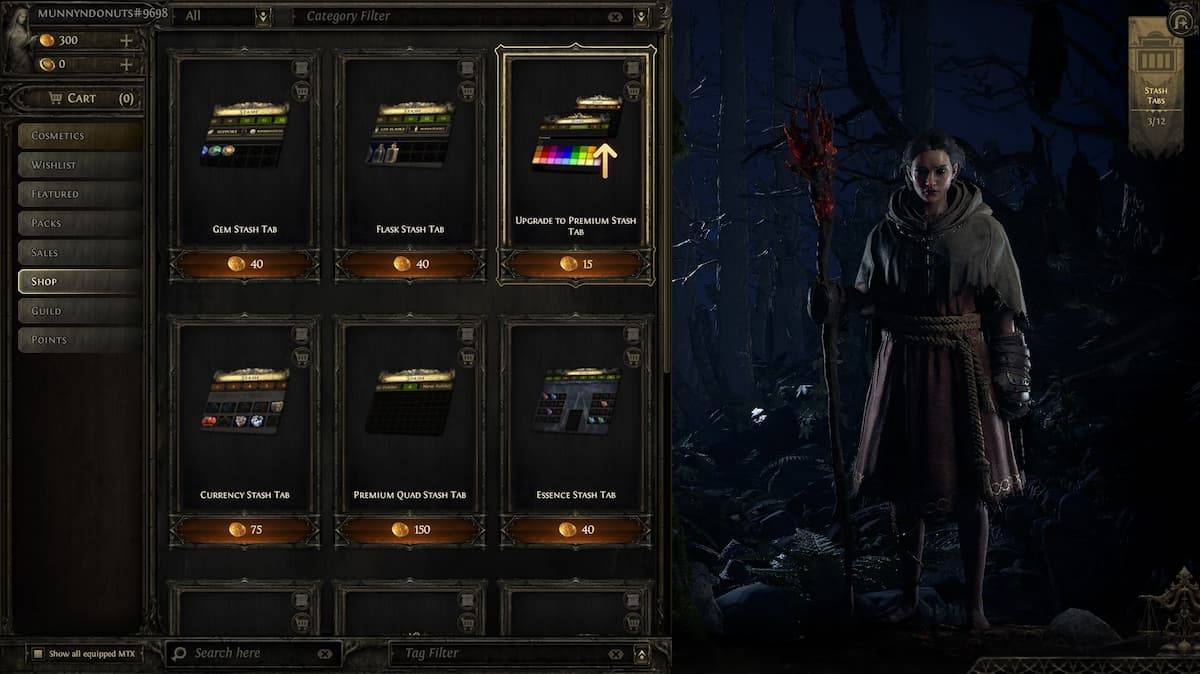
Selling Items: A Premium Stash Tab (purchased from the in-game Microtransaction Shop) is necessary. Place the item in the Premium Stash and set it to "Public." Right-click the item to set the price; it automatically appears on the trade website. Buyers will contact you in-game to arrange the trade.
This concludes our guide to Path of Exile 2's trade market. For additional game tips and troubleshooting (like PC freezing), further resources are available online.