Home News "Save Your Game in R.E.P.O.: A Guide"

"Save Your Game in R.E.P.O.: A Guide"

Author : Hazel Update:Apr 07,2025

Dive into the thrilling world of *R.E.P.O.*, a cooperative horror game that challenges up to six players to navigate through various maps, retrieve valuables, and safely extract them. To ensure your efforts are not in vain, understanding how to save your game is crucial. Here's a detailed guide on how to save your progress in *R.E.P.O.*

How To Save Your Game in R.E.P.O.

One of the most frustrating experiences for gamers is loading up a game only to find that their latest progress hasn't been saved. This issue is particularly common with new releases. Not all games feature autosave, and some require specific actions or locations to be reached before you can safely save and exit. Missing the tutorial on saving can lead to confusion, especially if the game doesn't make it clear.

In *R.E.P.O.*, it's essential to remember that the game autosaves only when you complete a level. There's no option for manual saving, so if you quit during a retrieval mission or die (which sends you to the Disposal Arena), your progress will be lost, and you'll need to start that level over. Upon death in *R.E.P.O.*, your save file is deleted, and exiting mid-level means you'll have to begin that level from the start.

To save your game, you must finish a level by delivering your valuables to the Extraction Point, then enter or return to the truck. Hold the message button above your head to signal the AI boss, the Taxman, that it's time to head to the Service Station. At the Service Station, you can shop and prepare for the next level. Use the same button to proceed to your next location.
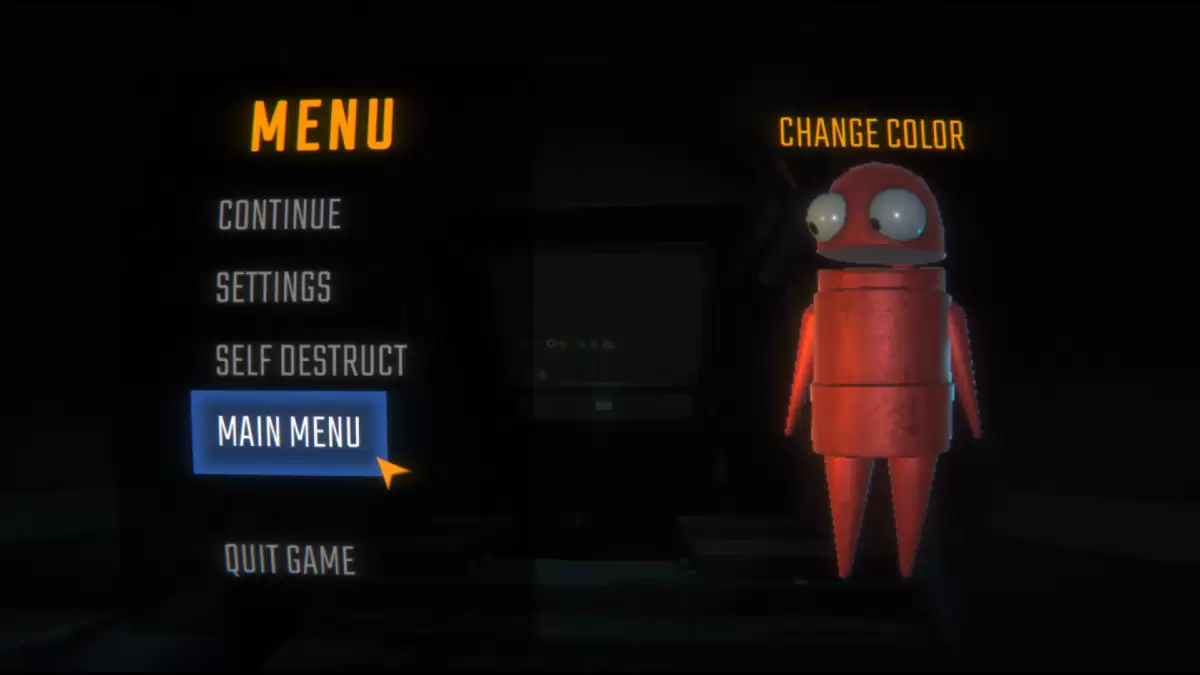
REPO Menu Screen as part of an article about how to save.

Image via The Escapist
Once you leave the Service Station and arrive at your next location, it's safe to exit to the main menu or quit the game. When you or the host (if another player created the original save file) next opens the game, you can resume *R.E.P.O.* as usual. It's important to note that the host is responsible for exiting at the correct time to ensure the game saves properly. When the host quits, all other players will be disconnected.

Now that you're equipped with the knowledge to save your game effectively, explore our other *R.E.P.O.* guides to enhance your gameplay and ensure successful missions with your team.

*R.E.P.O. is available now on PC.*

Latest Games More +
Adventure | 33.5 MB
Embark on an Exciting Journey with Super Luke World and His Van to Rescue the Princess! Super Luke Adventure: Small World Platformer is a charming 2D pixel-style platforming adventure. Game Overview Super Luke must navigate his world while facing n
Trivia | 67.5 MB
⚞ The official app for the hit TV show! ⚟How would you fare as a contestant on "Who Wants to Be a Millionaire?" With the official training camp app for Germany's most popular quiz show, you can now put your general knowledge to the test!Alongside bug
Sports | 34.2 MB
Winner's Soccer Evolution: The Ultimate 3D Football Experience Experience authentic football action with Winner's Soccer Evolution, a completely free 3D competitive football game featuring teams and player data from the 2018 World Cup. Choose from 3
Racing | 45.56MB
The ultimate street racing game is here! Experience high-speed 3D car racing and traffic drifting.Real Car Racing Car Driving Game 3D is the award-winning franchise that raises the bar for new racing games. This free game offers multiple modes like c
Simulation | 787.8 MB
Harekat 2: Immersive Online Combat Experience"Harekat 2" is an advanced military simulation game, developed by incorporating valuable feedback from the dedicated "Harekat TTZA" player community.Face the tactical challenges of realistic battlefield wa
Simulation | 333.39MB
Compete with global players in the world's premier Sky Block adventureKey Features:■ Stunning visuals that transform every in-game moment into share-worthy wallpaper material■ Experience ultimate survival gameplay on your personal island paradise■ De