Mastering Headshots in Free Fire: A Comprehensive Guide
Free Fire's fast-paced battle royale action demands precision, and headshots are the key to victory. This guide details how to improve your headshot accuracy, utilizing in-game settings and BlueStacks enhancements.
Understanding Headshots
Headshots deliver instant eliminations, providing a crucial competitive edge. Achieving consistent headshots requires optimizing sensitivity settings, mastering aiming techniques, and dedicated practice.
Optimizing Sensitivity Settings
Free Fire's sensitivity settings directly impact aiming speed and accuracy. Proper adjustment is crucial for smooth, precise crosshair movement.
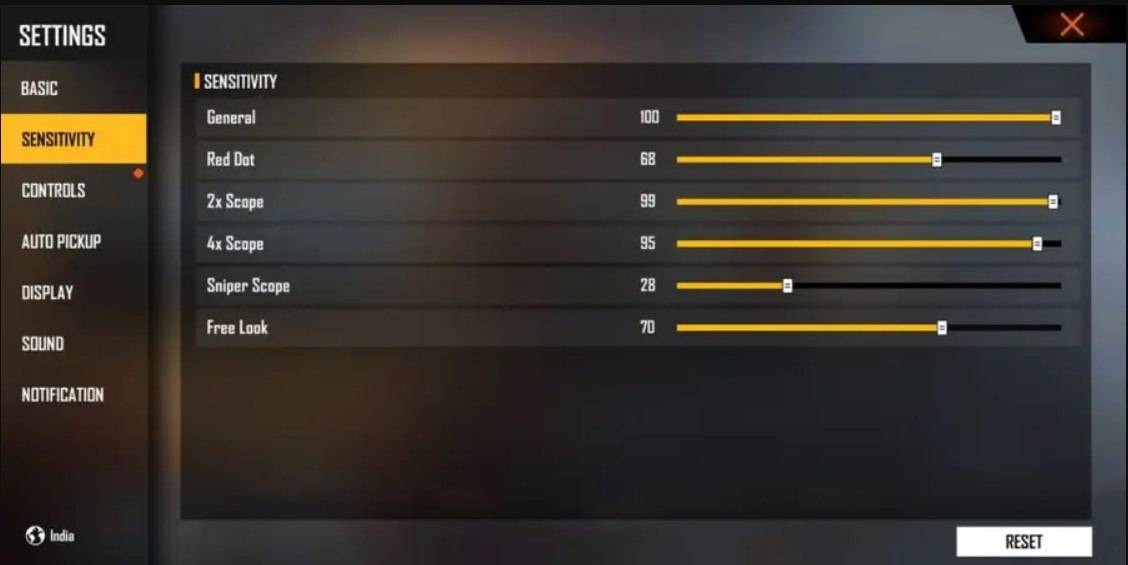
Recommended Settings (as shown in image):
- Aim Precision: Default
- Left Fire Button: Always
- Reload Progress on Crosshair: Off
- Hold Fire to Scope: On
- Grenade Slot: Double Slot
- Vehicle Controls: Two-handed
- Auto-parachute: On
- Quick Weapon Switch: On
- Quick Reload: Off
- Run Mode: Classic
- Free Look: On
Optimizing Your HUD Layout
A well-designed HUD significantly enhances control and responsiveness.
- Fire Button Placement: Position for easy thumb access; consider three- or four-finger claw setups.
- Drag Shooting: Enable drag shooting with a fire button size of 50-70% for precise swiping.
- Quick Weapon Switch: Place the switch button near your thumb for rapid weapon changes.
- Crouch/Jump Buttons: Position near movement controls for seamless execution of advanced techniques.
- Scope Button: Keep close to your index finger for quick scoping and headshot alignment.
Leveraging BlueStacks for Enhanced Accuracy
BlueStacks offers a significant advantage over mobile play, providing a larger screen, keyboard/mouse support, and enhanced performance.
- Keyboard and Mouse Support: Precise aiming and control far surpassing touch controls.
- Customizable Key Mapping: Tailor controls to your preferences, optimizing fire button placement for drag shots.
- Enhanced Graphics and Performance: High settings without lag or overheating, improving focus and aiming.
- Improved Sensitivity Settings: Fine-tune sensitivity for superior drag shots and scoped headshots.
By combining optimized in-game settings, effective HUD layout, and the advantages of BlueStacks, you'll dramatically improve your headshot accuracy and dominate in Free Fire.