Standoff 2 remains a powerhouse in the mobile FPS arena, delivering thrilling matches and competitive gameplay that echoes the intensity of classic PC shooters. Yet, the limitations of mobile touch controls can hinder your performance, often lacking the speed, precision, and versatility needed to truly excel.
Enter BlueStacks, a game-changer that revolutionizes how you play Standoff 2. By opting to play on PC with BlueStacks, you unlock a suite of advanced features, including customizable keymapping and the exclusive Smart Controls. These tools ensure your gameplay is smooth, responsive, and precise. Unlike other app players that struggle with Standoff 2’s evolving UI and mechanics, BlueStacks is meticulously optimized to keep you in command, no matter the intensity of the battle.
Keymapping – Take Full Control of the Battlefield
In the fast-paced world of FPS games, speed and precision are non-negotiable. Touch controls can lead to frustrating misclicks, clumsy movements, or missed shots that could mean the difference between victory and defeat. BlueStacks addresses these challenges with its robust keymapping tool, allowing you to control Standoff 2 with the finesse of a PC game.
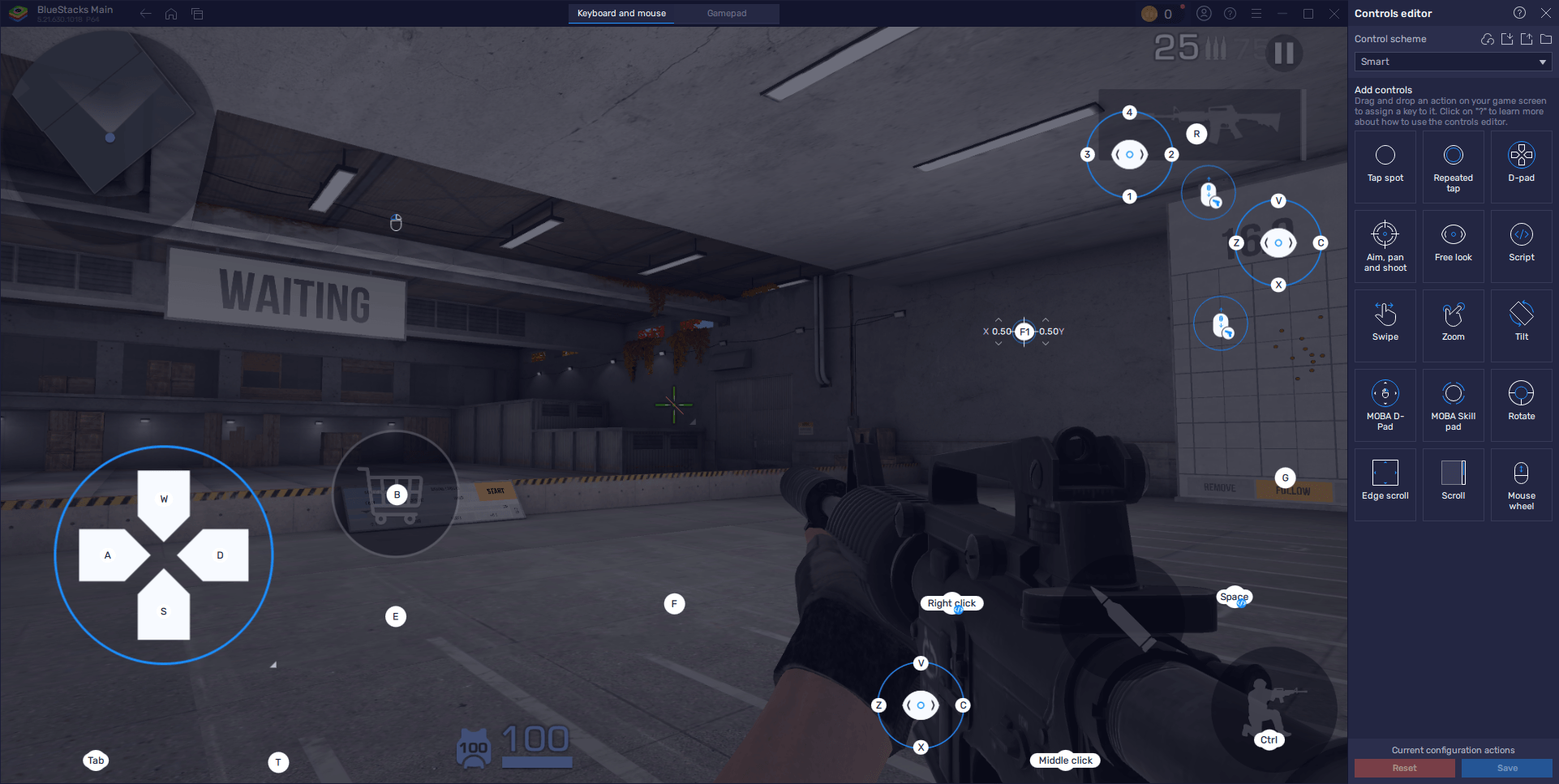
BlueStacks stays ahead of the game with regular updates that align with Standoff 2's latest changes. Not only does it provide precise keymapping, but it's also the only app player to offer Smart Controls—a feature crafted specifically to enhance gameplay in Standoff 2 and similar titles. This means you're not just playing Standoff 2 on PC; you're playing it with an edge that others can't match.
When you choose to play Standoff 2 on BlueStacks, you're not merely transitioning to a PC—you're equipping yourself with the best tools in the business. From seamless gameplay to precise control, every aspect is designed to boost your win rate and enhance your overall gaming experience. Why settle for less when you can dominate? Download BlueStacks today and take control of Standoff 2 like never before with the power of Smart Controls.