Minecraft is a universally beloved game, playable across a variety of devices, including Chromebooks. These devices, powered by Chrome OS, offer a unique platform for gaming, and yes, you can indeed enjoy Minecraft on a Chromebook.
In this comprehensive guide, we'll walk you through the installation process and offer valuable tips to enhance your gaming performance.
Table of Contents
- General Information About Minecraft on a Chromebook
- Enabling Developer Mode
- Installing Minecraft on Chromebook
- Running the Game
- How to Play Minecraft on a Chromebook with Low Specs
- Enhancing Performance on Chrome OS
General Information About Minecraft on a Chromebook
To ensure smooth gameplay, your Chromebook should meet the following specifications:
- System Architecture: 64-bit (x86_64, arm64-v8a)
- Processor: AMD A4-9120C, Intel Celeron N4000, Intel 3865U, Intel i3-7130U, Intel m3-8100Y, Mediatek Kompanio 500 (MT8183), Qualcomm SC7180 or better
- RAM: 4 GB
- Storage: At least 1 GB of free space
These are the minimum requirements for running Minecraft on a Chromebook. If you encounter performance issues, we've included a guide at the end to help optimize your gameplay. Now, let's delve into the installation process.
You can opt for the straightforward method of installing the Bedrock Edition directly from the Google Play Store. Simply open the store, search for Minecraft, and navigate to its page. Note that the full version costs $20, but if you already own the Android version ($7), you'll only need to pay an additional $13. This method is ideal for those who prefer a quick and easy installation.
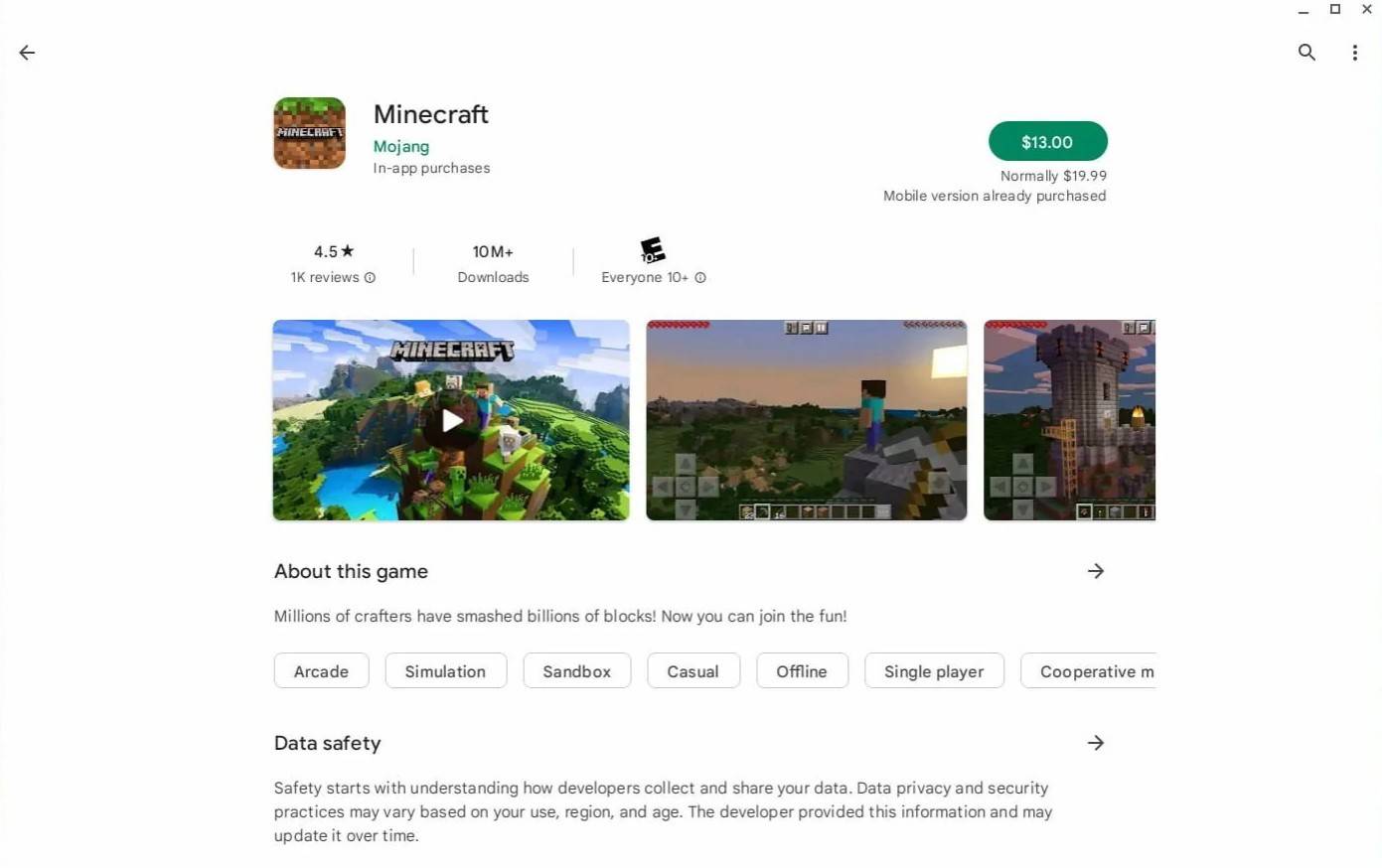 Image: aboutchromebooks.com
However, if the Bedrock Edition isn't your cup of tea, you're in luck. Chrome OS, being based on Linux, supports the Linux version of Minecraft. This installation requires a bit more effort, as you'll need to navigate a system quite different from Windows and input some code. We've prepared a detailed guide to help you get Minecraft running on your Chromebook in just half an hour.
Enabling Developer Mode
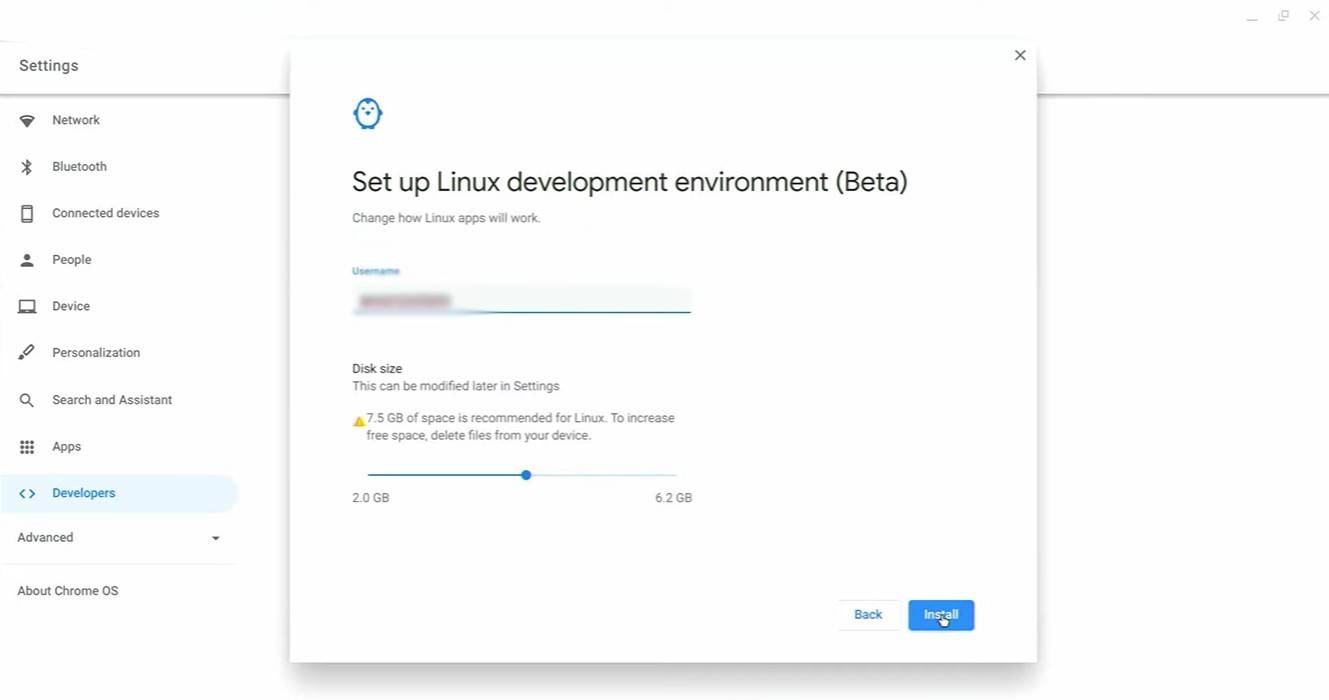 Image: youtube.com
To start, you'll need to activate Developer Mode on your Chromebook. Access the settings menu (akin to the "Start" menu on Windows) and head to the "Developers" section. Here, enable the "Linux development environment" option. Follow the prompts that appear, and once completed, the Terminal will open. This tool, similar to the command prompt in Windows, is where you'll continue your setup.
Installing Minecraft on Chromebook
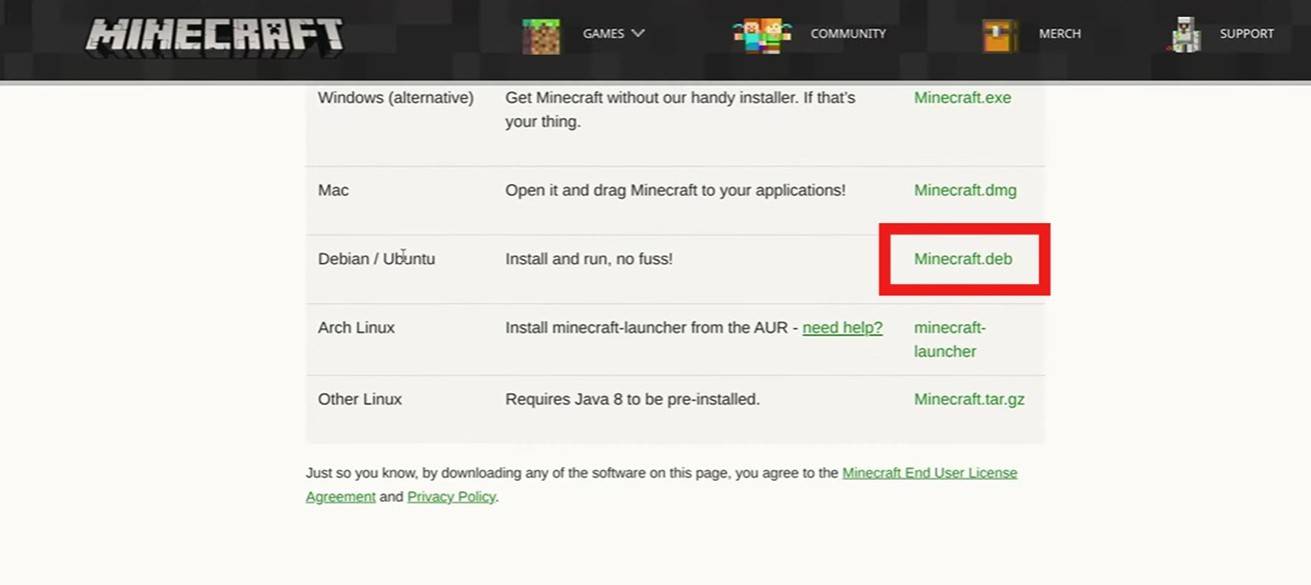 Image: youtube.com