Experience the thrill of virtual reality movie nights with VRTV VR Video Player Lite! Watch your favorite 2D and 3D videos in breathtaking virtual environments using a Cardboard-compatible headset. Unlike other VR video players, VRTV is unique: it's the only one enabling fully synchronized movie viewing with a friend.
Supporting a wide range of 3D/2D formats and viewing modes (including panoramas and fisheye projection), VRTV delivers a truly immersive cinematic experience. The full version unlocks even more features, such as a cozy living room environment and convenient next/previous buttons for effortless navigation.
Enjoy synchronized movie nights, customizable subtitles, and an intuitive VR UI with VRTV VR Video Player!
Key Features of VRTV VR Video Player Lite:
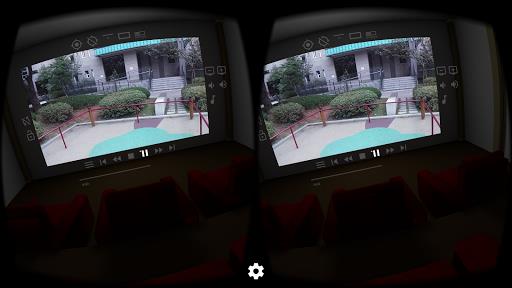
- Immersive Virtual Environments: Watch your videos in stunning virtual spaces, like a home theater or a cave, for an unparalleled viewing experience.
- Synchronized Playback: Watch movies simultaneously with a friend for shared virtual movie nights.
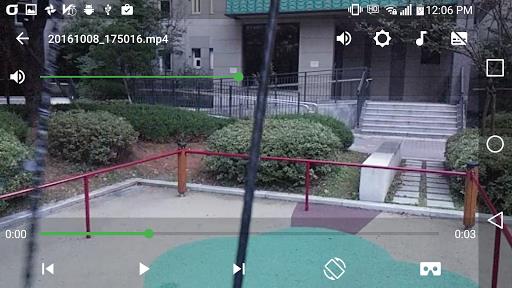
- User-Friendly Interface: Enjoy simple controls via a streamlined VR UI, configurable gamepad, keyboard controls, and intuitive material design.
Frequently Asked Questions:
- Is VRTV VR Video Player free? Yes, a free version is available, with an optional upgrade to the full version for extra features and an ad-free experience.
- Can I watch movies in different languages? Absolutely! VRTV supports SRT subtitle files, fully supporting RTL languages, Unicode characters, and automatic encoding detection.
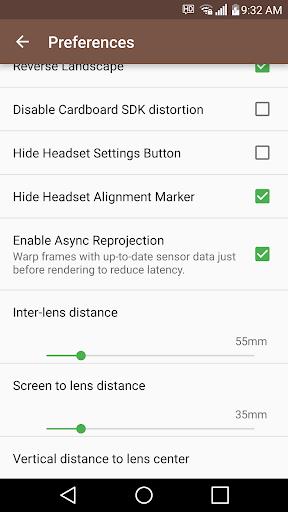
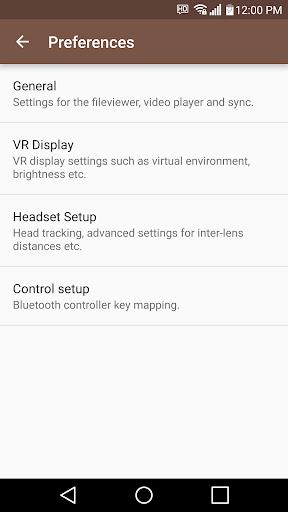
- How do I synchronize playback with a friend? In Settings/General, configure the IP address of the device you want to sync with. Then, press the "sync" button in the VR UI on both devices to start simultaneous playback.
Conclusion:
VRTV VR Video Player offers a superior VR video viewing experience thanks to its immersive environments, unique synchronization feature, broad format support, and easy-to-use controls. Whether solo or with friends, VRTV Lite provides a fun and convenient way to enjoy 2D and 3D videos in virtual reality. Download VRTV VR Video Player today and enter a new world of entertainment!