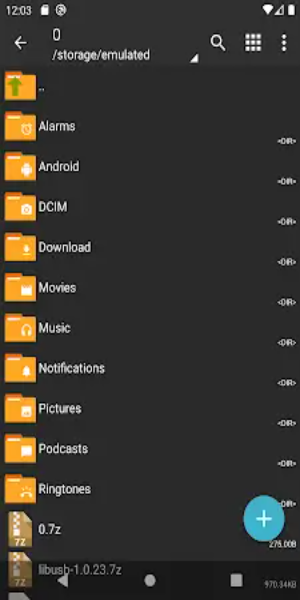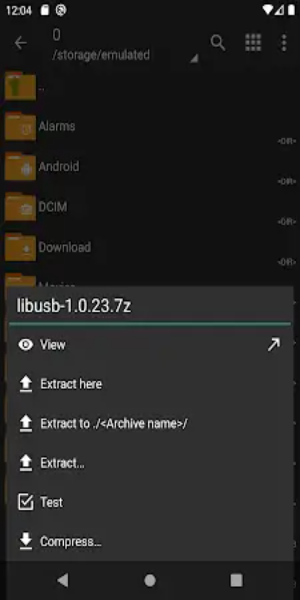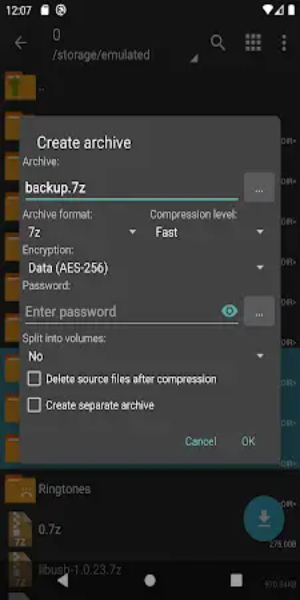

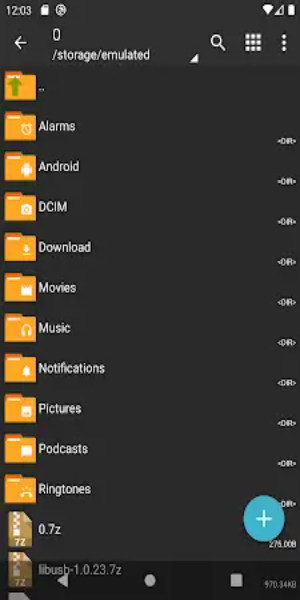
ZArchiver Donate is the premium edition of the widely-used ZArchiver application, delivering sophisticated archive management tools within an elegant interface. It enables users to create and extract multiple archive formats, including 7z and zip, while offering image previews and in-archive file editing capabilities. Enjoy customizable light and dark themes, robust password protection, and seamless APK/OBB installation directly from backups.
Key Advantages of ZArchiver Donate:
1. Personalized Interface: Tailor your experience with ZArchiver Donate’s customizable UI, featuring both light and dark theme options. Choose the look that suits you best for a comfortable and visually appealing interface.
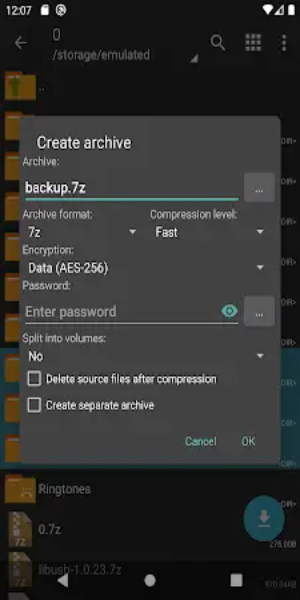
2. Superior Security: With built-in password storage, ZArchiver Donate prioritizes data safety. Create and open encrypted archives effortlessly, adding an essential layer of security to your sensitive files.
3. Convenient Image Previews: Quickly identify visual content without extracting files using the integrated image preview feature. This functionality streamlines browsing through images stored directly within archives.
4. In-Archive File Editing: Modify files such as zip, 7zip, tar, apk, and mtz directly inside their containers. This capability allows for flexible content manipulation without needing to unpack data first.
5. Enhanced Privacy: Designed with privacy in mind, ZArchiver Donate operates without requiring internet permissions. Your stored data remains confidential since no information is sent externally during use.
Improved Performance:
- Faster Launch on Android 9+: ZArchiver Donate has been optimized for quicker startup times and efficient handling of small files on Android 9 devices.
- Multithreading Efficiency: Leveraging multicore processors, the app uses multithreading to accelerate performance. This ensures faster processing speeds during heavy or large-scale tasks.
- Universal Filename Support: Full support for UTF-8 and UTF-16 encodings allows filenames to include special characters and symbols from various languages, enhancing global usability.
Additional Powerful Features:
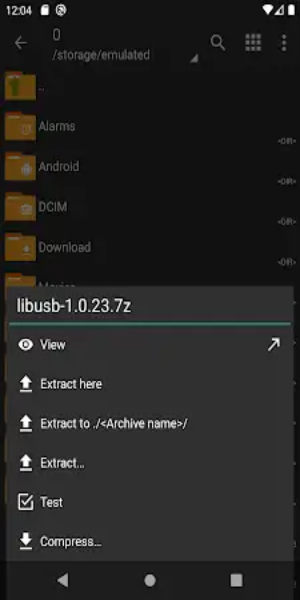
1. Wide Format Compatibility: Create and extract a broad spectrum of archive types, including 7z, zip, bzip2, gzip, XZ, lz4, tar, and zst, improving file organization and storage efficiency.
2. Instant Content Viewing: Preview contents within archives like 7z, zip, rar, bzip2, gzip, XZ, iso, and tar without extraction. Quickly assess archive data with ease.
3. Encrypted Archive Support: Generate and open password-protected archives to keep your confidential information secure against unauthorized access.
4. Multi-Part Archive Handling: Manage split archives such as 7z and rar (decompression supported), making it easier to work with large files divided into smaller segments.
5. Direct APK/OBB Installation: Restore apps and their data effortlessly by installing APK and OBB files directly from your backups without manual extraction steps.
6 selective Extraction: Unpack only the specific files you need from an archive, saving time and storage space by avoiding unnecessary downloads of entire contents.
7. Split Archive Compatibility: Extract split archives like 7z.001, zip.001, part1.rar, or z01 seamlessly, ensuring broad compatibility with various splitting formats used across platforms.
Final Thoughts:
ZArchiver Donate stands out as a comprehensive and user-friendly solution for all your archive management needs. Combining advanced tools, strong security protocols, and extensive format support, it empowers users to organize, protect, and edit digital files with ease. Whether you are a casual user or an experienced tech enthusiast, ZArchiver Donate delivers reliable performance tailored to every requirement.