Introducing AudioExtractor and AudioChanger: Your Ultimate Audio Editing Companion
AudioExtractor and AudioChanger is the ultimate audio editing app designed to simplify the process of extracting, cutting, changing, and converting audio or video files. Whether you're a seasoned audio editor or just starting out, this app offers a user-friendly interface and powerful features to elevate your audio editing experience.
Extract Audio with Ease:
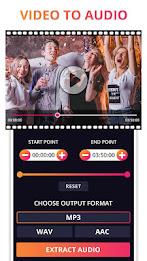
AudioExtractor empowers you to extract high-quality audio from any video file. You have the flexibility to extract the entire audio track or select a specific time range, giving you precise control over your audio content.
Trim and Transform Audio:
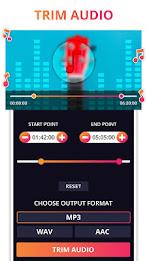
The AudioCutter feature allows you to trim and change the audio format of any audio file, converting it to formats like mp3, aac, and wav. This feature is perfect for creating custom ringtones, sound effects, or simply adjusting the audio length to your liking.
Enhance Your Videos with Audio Changes:
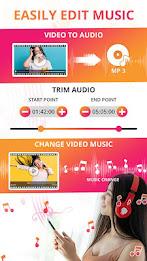
The ChangeAudio feature lets you edit the original audio of your videos and apply a different audio track. You can loop the audio, preview the changes, and ensure your video's soundtrack perfectly complements its visual content.
Convert Audio to Your Desired Format:
AudioExtractor and AudioChanger support a wide range of audio formats, including mp3, wav, and aac. You can convert extracted audio, trimmed audio, or any audio file to your preferred format, ensuring compatibility across various devices and platforms.
Seamless Background Processing and Notifications:
The app's background process feature allows you to continue using your device while audio extraction or conversion takes place. You'll receive timely notifications when the process is complete, keeping you informed without interrupting your workflow.
Effortless Sharing:
Share your extracted audio or edited videos directly from the app with friends, family, or on social media platforms. This convenient feature eliminates the need for additional steps and streamlines your content sharing process.
In Conclusion:
AudioExtractor and AudioChanger provide a comprehensive suite of tools for manipulating audio and video files. With its user-friendly interface, powerful features, and seamless integration, this app is a valuable asset for anyone seeking to enhance their audio editing capabilities. Download it today and unlock a world of creative possibilities!