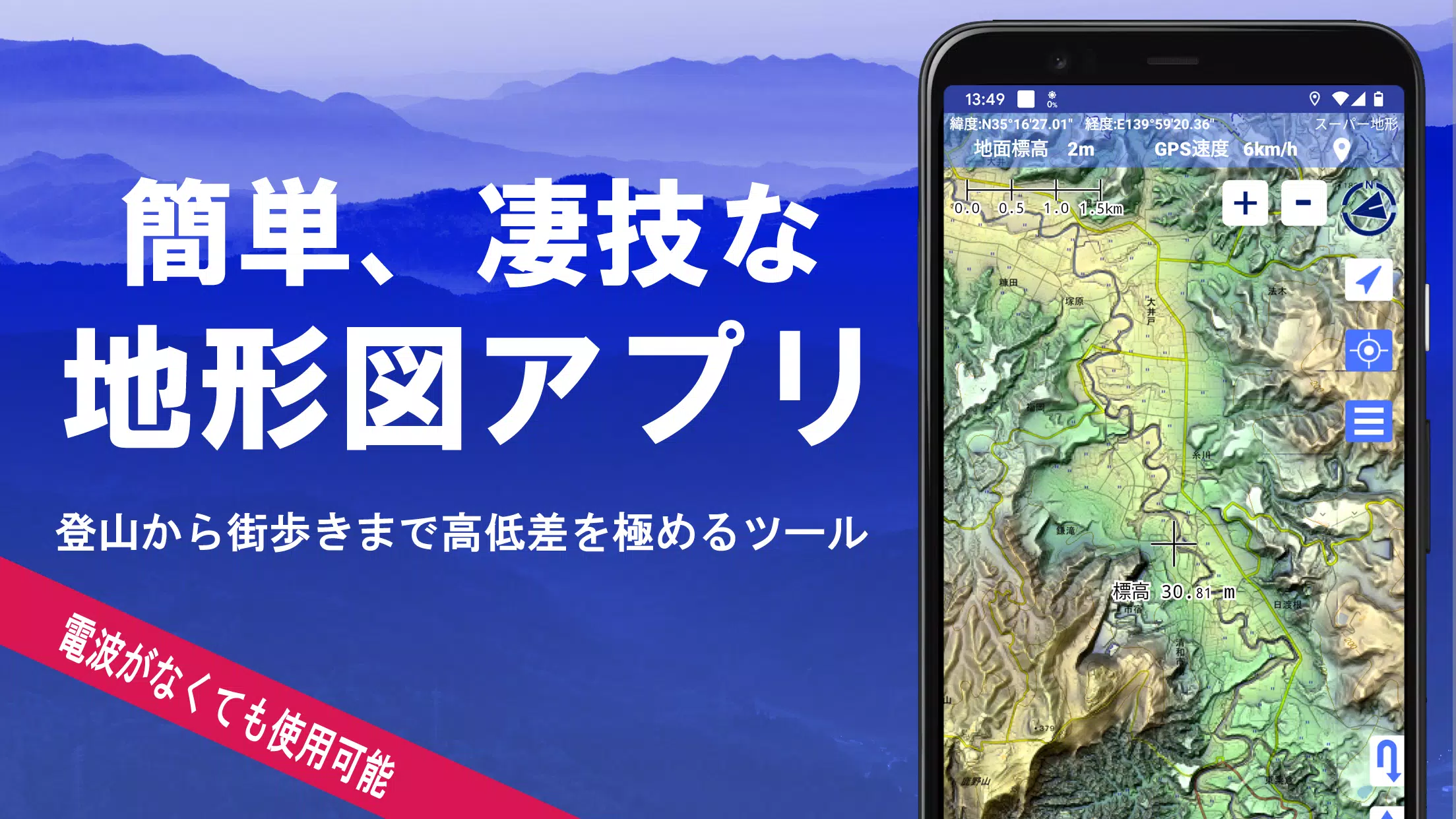
Utilize over 100 map types, including official Geographical Survey Institute maps. Perfectly suited for maximizing elevation insights, from mountain hiking to urban exploration.
Recipient of the 2018 Best Work Award from the Japan Cartographic Society.
- Access "super terrain data," which accentuates landforms through proprietary technology.
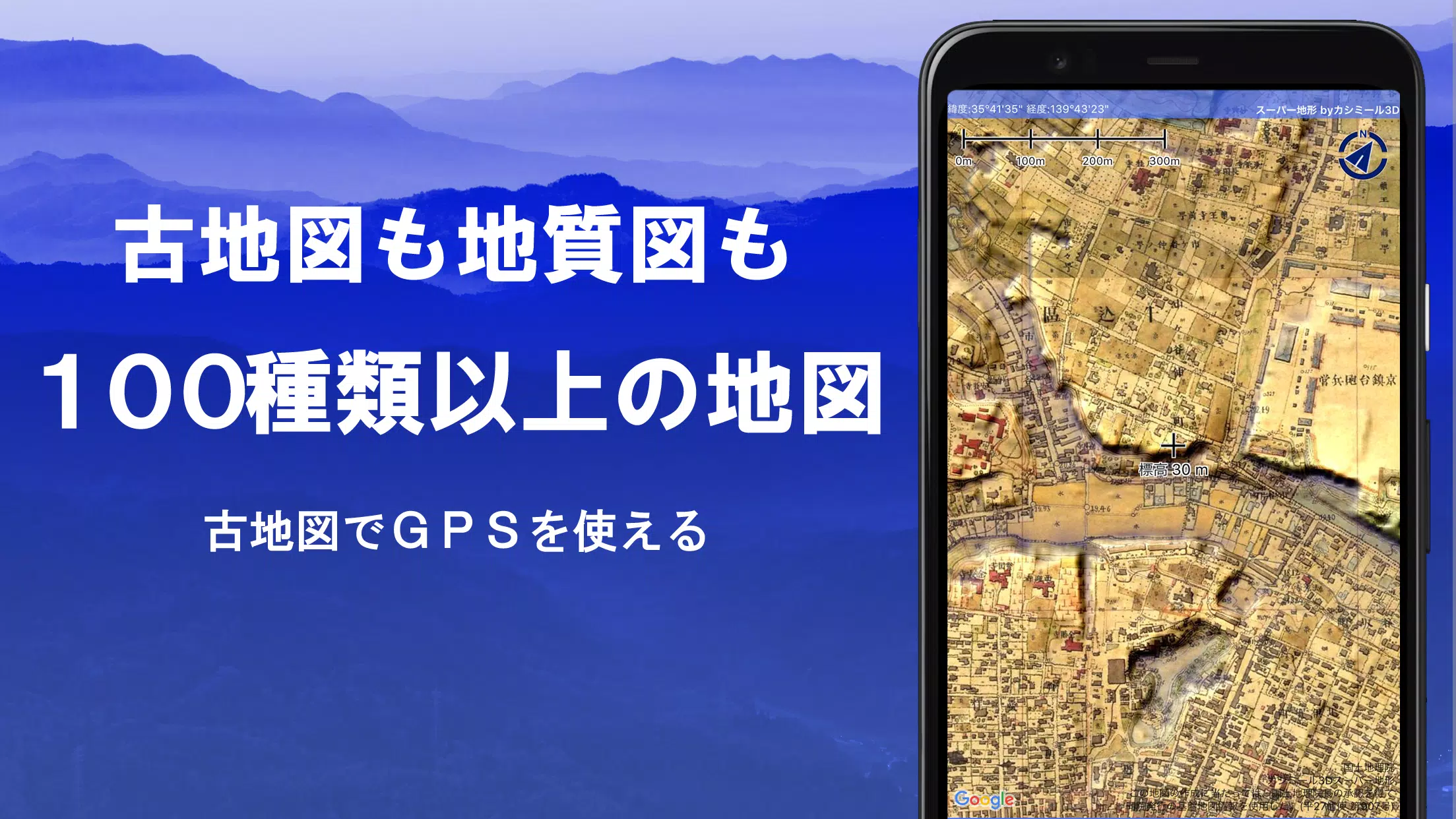
- Utilize a range of maps from the Geospatial Information Authority of Japan, such as standard maps, topographic maps, geological charts, historical maps, comparative past/present maps, and pre-war topographic surveys.
- Record GPS tracks (trajectories). Features include GPX log import/export and comprehensive editing tools.
- Equipped with dedicated functions for urban walking, hiking, and outdoor activities, including voice-guided GPS navigation and data logging/editing.
- Features a visibility analysis tool for creating cross-sectional diagrams, planning observations, or radio communications. Displays building data where available.
- Includes a 360° panoramic viewer with mountain identification. Also displays the sun, moon, and GPS point locations.
- Full GPS functionality, bulk map downloads, and map caching for reliable offline use in areas with no signal during outdoor adventures.
- Geotag photos by linking them to specific map points.
- Display contour lines generated from elevation data.
- Show MGRS grid (UTM grid) overlays.
- Read, display, and edit GIS data from GeoJSON files.
- Create custom shapes directly on the map.
- Fully functional for international use.
- Print maps or export them to PDF.
- Supports a dark theme.
1. An Extensive Library of Usable Maps
Available maps (over 100 types, including combined formats)
Includes proprietary super topographic data, Geospatial Information Authority maps, hazard maps, and more.
*For aerial photography (sorted by era), coverage may vary by time period. "Latest" and "circa 1974" eras offer relatively broad coverage.
*Super terrain data maps are free to use for 5 days following app installation.
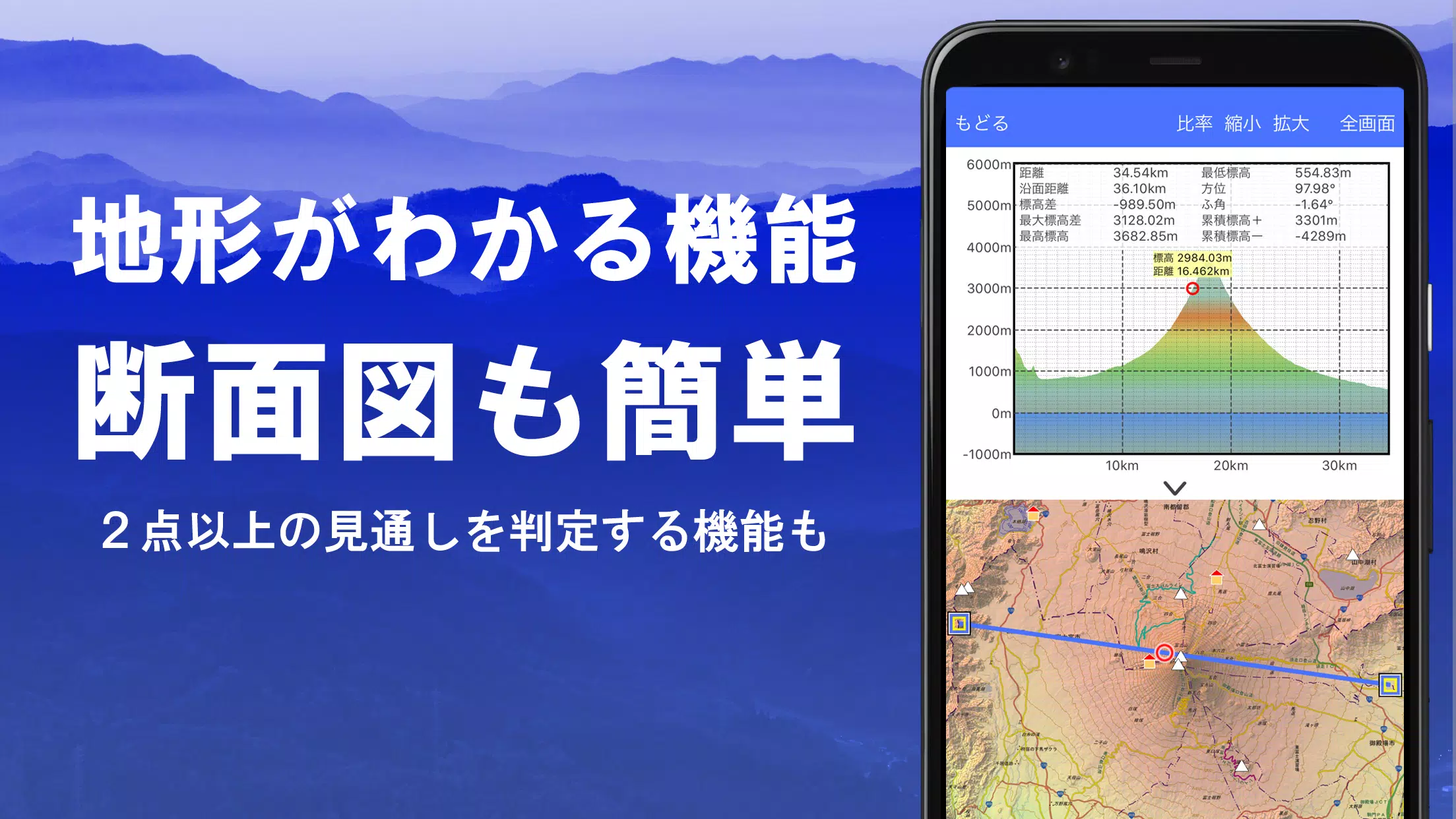
2. Cross-Section and Viewshed Creation
Easily generate a cross-sectional profile from any point on the map.
Includes the proven visibility analysis function from Kashmir 3D. Calculations account for the Earth's curvature and atmospheric refraction.
Ideal for route planning while hiking, determining radio wave visibility, and terrain analysis.
Where PLATEAU 3D city model data is available, create cross-sectional views that include buildings.
3. Elevation Palette Function
Customize the map background color using the elevation palette. Apply your preferred gradient in precise 1cm increments.
4. Panoramic View
Display a panoramic observation map from any location to identify surrounding mountain names. A 360° panorama synchronized with your smartphone's compass. Exceptionally powerful for mountain identification.
Display the sun and moon (including lunar phase). Useful for planning Diamond Fuji or Pearl Fuji viewings.
View the location of logged GPS points.
Can also generate panoramic views for international mountains.
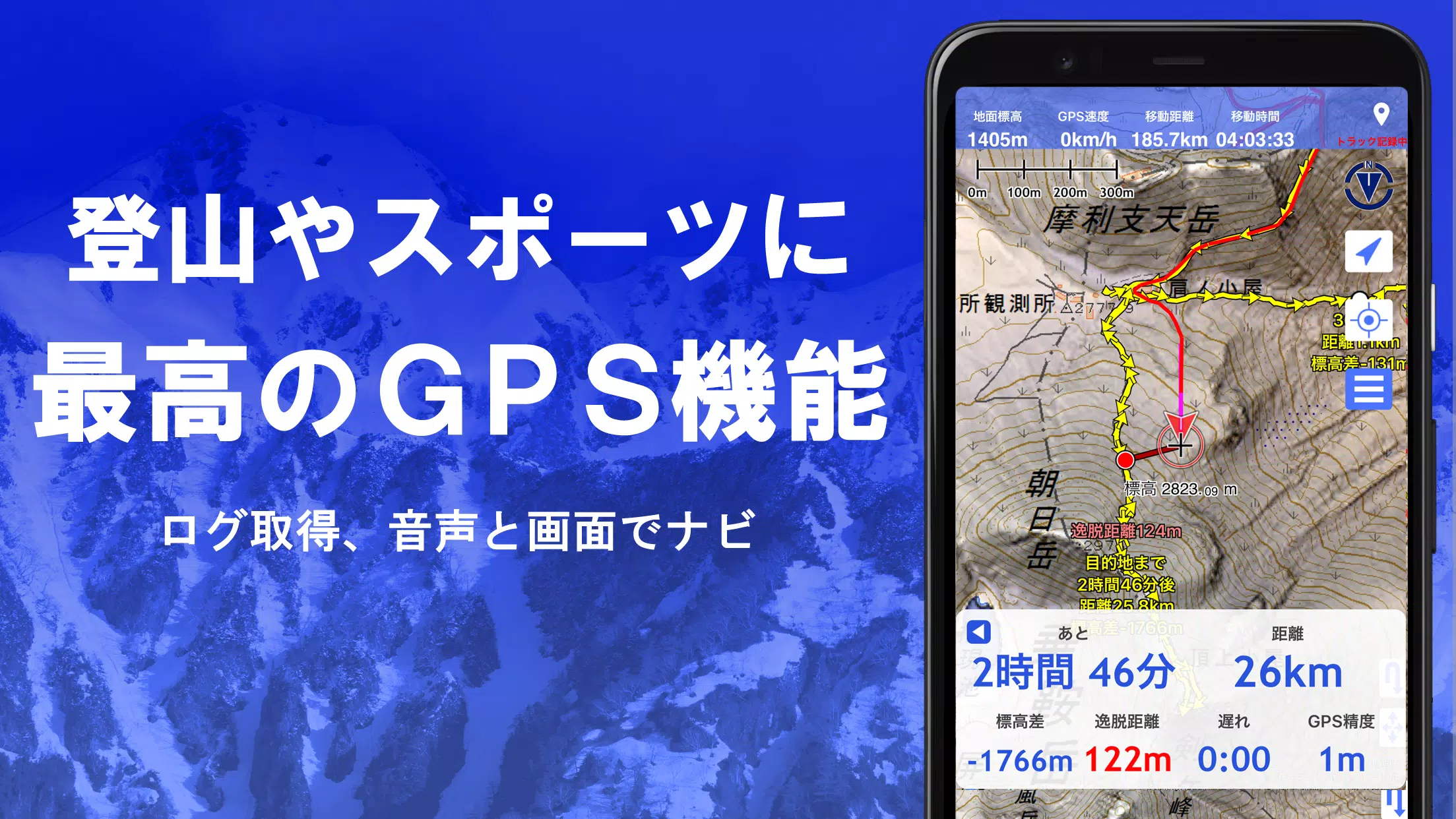
5. GPS Functionality
Obtain location data using your smartphone's GPS and record your tracks.
Employs high-precision positioning suitable for serious mountaineering and outdoor use.
Graphically review recorded tracks with parameters like elevation change, speed, time, and elapsed time.
The point alert function notifies you via voice and sound when approaching a preset point.
Display photos linked to specific points.
Send the current map center position to NaviCon.
6. GPS Track Summary Playback
This feature allows for the consolidated playback of recorded track logs.
It compares timestamps from photos in your smartphone gallery and automatically displays matched images.
7. GPS Navigation Function
Features Track Navi, allowing navigation along a pre-set track using your smartphone's GPS.
An alert sounds if you deviate from the track.
This significantly reduces the risk of getting lost while hiking.
Additionally, supports route navigation for urban walking and point-to-point navigation.
8. GPS Data Editing Function
Handles GPS-related point, route, and track data.
Organize data into folders with a clear, tree-structured view.
Create tracks directly by drawing on the map.
Import and export data in GPX format from hiking websites and other sources.
9. Offline Map Usage
Access maps even in remote areas with no cellular signal, such as when mountain climbing.
The bulk download function ensures all scale maps for a specified area are downloaded at once.
Monitor download progress clearly. Avoids ending up without a needed map on-site.
Also includes a map caching function.
10. Map History Function
Remembers previously viewed areas, allowing you to easily return to a prior location.
11. Custom Map Compatibility
Import and use custom maps prepared with the Kashmir 3D map cutter.
Display and utilize your own maps or scanned maps within the app.
When using the map cutter, tile each image into segments of approximately 256 x 256 pixels.
Send the created KMZ file to Super Terrain via email or a cloud drive.
12. GeoJSON Compatibility
Read, display, and edit points, lines, and polygons from GeoJSON files.
Draw new shapes directly.
13. Print / PDF Output
Print any map area at a specified scale or export it as a PDF.
14. Integration with Other Apps
Exchange GPS data using GPX, KML, and GDB formats.
Enables data sharing with other apps, the PC software "Kashmir 3D," and trajectory data from hiking sites.
15. Backup Function
Back up all app data (excluding cached maps) and remove it from the smartphone.
Backups allow data restoration even if you delete the app or your smartphone malfunctions.
Also features automatic backup to Google Drive. Maintains up-to-date backups effortlessly.
Please consult the manual for detailed instructions.
16. About Billing and Features
Some features, including super terrain data maps, GPS track functionality, and cross-sectional views, require an in-app purchase. Paid status also increases the search results for place name searches.
●Fees
Annual subscription: 780 JPY/year
●Free Trial
A 5-day free trial is available upon first installation.
After 5 days, access to some features and maps will be restricted.
You will not be charged unless you complete a purchase.
To purchase, select [Settings] -> [Purchase to remove functional restrictions] within the app.
●Managing & Cancelling Subscriptions
You can check your renewal date or cancel auto-renewal as follows:
1) Open Google Play
2) Select "Subscriptions" from the menu
3) Select "Super Terrain"
●Price Revisions
Prices may be revised in the future due to feature additions and enhancements.
Early purchase is advantageous.
17. Terms of Use
The copyright holder and developer assume no liability for any consequences arising from the use of this application.
Upon first GPS use, you will be prompted: "Allow access to location services?" Please grant permission.
Continuous GPS use consumes significant battery power.
If your device is also needed for emergency communications, take precautions such as carrying a spare battery.
An easy-to-follow guide for the navigation function is available in PDF format below.
https://www.kashmir3d.com/online/superdemapp/superdem_navi.pdf
On some smartphones, track recording may be interrupted or fail. This is due to power-saving features that force-close background apps, which cannot be controlled from within the app. This issue also occurs with other applications.
While turning off the screen may allow recording to persist briefly, this is not a permanent solution. Please be aware of this limitation.