Home Apps Productivity English 101 - Learn to Write
English 101 - Learn to Write

English 101 - Learn to Write

4.3
Download
Download
Application Description
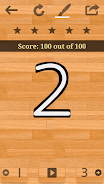
Master English handwriting with English 101 – Learn to Write! This engaging app makes learning English letters and numbers fun and interactive for all skill levels. Beginners can use the guided tracing in EASY mode, while more advanced users can refine their technique in NORMAL mode. FREESTYLE mode lets you express your personal style and check your progress. Share your achievements with friends directly from the app, inspiring others to learn. Enjoy an ad-free experience and unlock the complete content with a simple in-app purchase. We welcome your feedback! Visit aspulstudios.contact to suggest features for future updates. Join our community and celebrate the joy of learning to write!

Key Features of English 101 – Learn to Write:

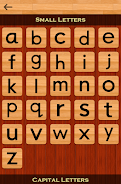
  • Learn English Alphabets and Numbers: Practice writing and pronunciation of English letters and numbers.

  • Adaptive Learning Modes: Choose from EASY, NORMAL, and FREESTYLE modes to suit your skill level and learning style. EASY provides tracing assistance, NORMAL focuses on precision, and FREESTYLE allows for freehand writing with progress checks.

  • Share Your Success: Share your scores with friends and inspire their learning journey.

  • Ad-Free Learning Environment: Enjoy uninterrupted learning without ads.

  • Free Trial & In-App Purchase: Try a selection of letters and numbers for free, then unlock the full app with an in-app purchase.

  • Community Feedback Driven: Share your suggestions for future updates at aspulstudios.contact.

In Conclusion:

English 101 – Learn to Write offers a comprehensive and enjoyable way to improve your English handwriting. With multiple learning modes, progress sharing, and an ad-free environment, it's the perfect tool to master writing English letters and numbers. Try the free trial and unlock the full potential with an in-app purchase. Your feedback helps us shape the future of the app. Learn, share, and enjoy!
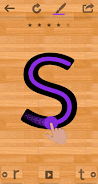
English 101 - Learn to Write Screenshot 0
English 101 - Learn to Write Screenshot 1
English 101 - Learn to Write Screenshot 2
Reviews Post Comments
GrammarGeek42 Nov 09,2025

As an ESL teacher I love recommending this app to my students! The tracing exercises are engaging and the difficulty progression feels just right. My only minor complaint is that the freestyle mode could use more sensitivity adjustment options. Overall a solid 4-star tool for handwriting practice 👍

Trending Apps More +
2.0.0 / 16.1 MB
1.51 / 34.00M
6.2.4 / 11.30M
1.4.85 / 99 MB
Latest Apps More +
Tools | 11.30M
VPN - Unlimited Fast VPN Proxy é o seu bilhete para serviços ilimitados e rápidos de VPN proxy gratuitos! Esteja você na escola ou em uma rede Wi-Fi pública, este aplicativo ajuda você a bypass firewalls e acessar sites bloqueados com facilidade. Co
House & Home | 10.8 MB
Hader provides streamlined hourly recruitment solutionsHader connects you with top-tier professionals trained in home services, including cleaning, cooking, elderly care, and more – available through flexible hourly packages or customized service pla
K-POP (Korean pop music) is a musical genre that began in South Korea. It blends diverse styles such as pop, hip-hop, R&B, and electronic dance music. Known for its infectious tunes, energetic dance routines, and striking music videos. Key Features
Communication | 45.10M
Spotted: Local dating-app provides a fresh and innovative approach to forming connections with potential friends and romantic partners through real-world interactions. It lets you rediscover and connect with people you've encountered or shared locat
Auto & Vehicles | 51.7 MB
iSmartDiag is an advanced automotive diagnostic tool for professional mechanics and car enthusiasts.By connecting via Bluetooth to mobile devices or tablets, iSmartDiag delivers powerful diagnostic capabilities for a wide range of vehicles. It helps
Travel & Local | 9.5 MB
Access GPS simulation settings, save favorite locations, and utilize search with recent history features.- Use the joystick -1. Drag the joystick to move and position it on the screen.2. Click and hold the joystick to reveal hidden features around it