PowerDirector: A Comprehensive Video Editing Suite for All
PowerDirector is a cutting-edge video editing application renowned for its innovative features and user-friendly interface. It functions as both a video editor and maker, standing out with its revolutionary AI Body Effect, allowing users to seamlessly apply dynamic visual effects to moving bodies. From a green screen editor to a video stabilizer and monthly tool updates, PowerDirector offers a comprehensive suite for transforming ordinary footage into extraordinary content. With additional features like Anime Photo Templates and a vast stock library, it caters to diverse creative needs.
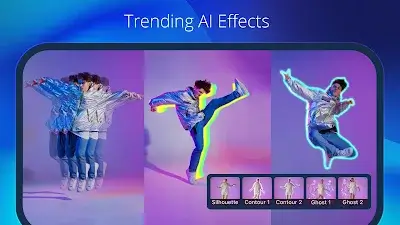
Revolutionary AI Body Effect
PowerDirector's most advanced feature, the AI Body Effect, represents a significant leap in mobile video editing. This cutting-edge technology enables users to effortlessly apply stunning visual effects that dynamically wrap around the contours of a moving body. Eliminating the need for tedious manual adjustments, this feature not only saves time but also allows content creators to achieve a level of visual sophistication previously reserved for advanced studios. With the AI Body Effect, PowerDirector empowers users to produce professional-looking videos with ease, showcasing the app's commitment to pushing the boundaries of mobile video editing technology.
Diverse Anime Photo Templates
The inclusion of Anime Photo Templates adds a delightful touch to PowerDirector's repertoire. Users can now effortlessly cartoonize themselves by choosing a template, importing clips, and letting the magic of anime effects, transitions, and music transform their footage into a visually stunning masterpiece.
Pro Video Editor
PowerDirector's Pro Video Editor empowers users to transform ordinary footage into extraordinary moments. The video maker is equipped with a green screen editor and a video stabilizer, allowing users to explore a wide array of powerful video editing tools that are updated monthly. From creating slow-motion videos to crafting video collages, PowerDirector provides a comprehensive set of features to bring your creative ideas to life.
Accurate Video Editing and Enhancement
PowerDirector simplifies the video editing process with intuitive controls. Trim, cut, splice, and rotate videos with simple taps. Exercise precision control over brightness, color, and saturation. Apply jaw-dropping effects and transitions with drag-and-drop simplicity. The multi-timeline feature allows the combination of pictures and videos, while text and animated titles can be added within seconds. The versatility of PowerDirector is further showcased in creating video and photo collages with overlays.
Other Advanced Features
With various features and content, PowerDirector ensures that everyone, regardless of their skill level, can master video editing. Some of the standout features include:
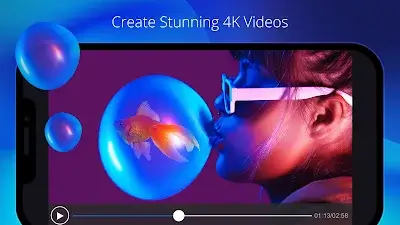
- Edit and export clips in a highest resolution of 4K.
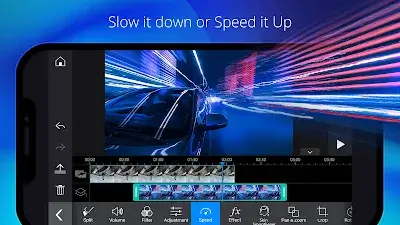
- Use speed adjustment to control the pacing of your videos.
- Fix shaky cam footage with the video stabilizer.
- Enhance brightness and saturation with adjustment layers.
- Create eye-catching intros with animated titles.
- Experiment with audio effects in the voice changer.
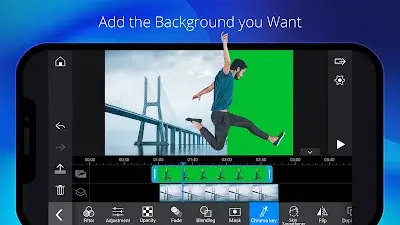
- Effortlessly remove backgrounds with smart cutout or replace the green screen with chroma key.
- Utilize Keyframe controls for precise adjustments to transparency, rotation, position, and scale for picture-in-picture and masks.
- Create double exposure effects with video overlays and blending modes.
- Seamlessly upload your creations to YouTube and Facebook, sharing your best work with the world.
Conclusion
PowerDirector is not just a video editor; it's a comprehensive video creation suite that caters to the diverse needs of content creators. With its constant innovation and commitment to providing powerful yet accessible tools, the app has solidified its place as a go-to solution for those looking to elevate their video editing and content creation endeavors. Whether you're a beginner or a seasoned professional, PowerDirector is poised to be your creative ally in the ever-evolving world of video production.