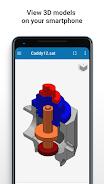
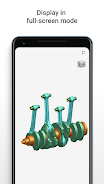
CADExchanger is a powerful app that lets you easily view, explore, and convert 3D CAD models across 30+ key CAD formats. With the ability to work with native formats like SOLIDWORKS, CATIA, and SiemensNX, as well as neutral and kernel formats, CADExchanger is perfect for anyone working in the CAD industry. Whether you're on the shop floor, in a business meeting, or just outside your office, you can still access and share your 3D models with ease. The app also offers a free mobile version that complements its feature-rich desktop and cloud versions. With CADExchanger, you can easily build your own 3D mobile, web, and desktop apps using their CAD formats conversion technologies. Click here to download CADExchanger and start exploring the world of 3D CAD.
Features of this App:
- View and explore 3D CAD models: CADExchanger allows users to view and explore 3D CAD models across over 30 key CAD formats, including SOLIDWORKS, CATIA, SiemensNX, and DWG.
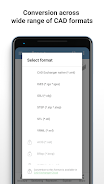
- Convert CAD models: Users can also convert CAD models between various formats, including native, neutral, and kernel formats. This allows for easy sharing and collaboration with partners.
- Mobile version: CADExchanger has a free mobile version that complements the feature-rich commercial desktop and cloud versions. This allows users to work with their 3D models wherever they are.
- CAD formats import: The app supports the import of various 3D CAD formats, such as SOLIDWORKS, CATIA, SiemensNX, STEP, JT, Parasolid, STL, and more.
- CAD formats export: Users can export their CAD models in formats such as STEP, STL, IGES, OBJ, VRML, and CADExchanger native format.
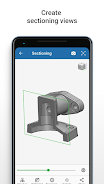
- Additional operations with 3D CAD models: The app provides additional features like product structure navigation, basic properties editing, switching between B-Rep and polygonal representations, sectioning and exploded views creation, and access to basic dimensions data.
Conclusion:
CADExchanger is a powerful app that allows users to view, explore, and convert 3D CAD models across multiple formats. With its wide range of supported formats and additional features, it provides a comprehensive solution for CAD model management. The mobile version of CADExchanger allows for flexibility and convenience, enabling users to work with their 3D models anytime and anywhere. Whether you are on the shop floor, at a business meeting, or outside your office, CADExchanger provides the necessary tools to collaborate and share CAD files with partners. For more advanced features and larger file sizes, the desktop and cloud versions are also available. Overall, CADExchanger is a reliable and efficient software for CAD professionals and enthusiasts.