Tired of your plain and ordinary photos? Longing for a touch of magic to make them truly captivating? Look no further! Our Photo & Video Effects Editor App is your ticket to turning your ordinary pictures into extraordinary masterpieces. With a wide array of stunning photo effects and image filters, you can effortlessly transform your photos in just a few simple steps. And that's not all! You can also apply these awe-inspiring effects to your short videos, adding a new level of beauty and vibrancy. Once you're done with your editing, share your creations with the world on popular social networks like Facebook, Instagram, YouTube, TikTok, and Twitter. We value your feedback, so leave us a review and tell us how we can make this app even better in future versions. Get ready to bring your photos to life!
Features of Photo & Video Effects Editor:
- Easy to use: With just a few simple steps, you can create amazing photos and apply the same effects and filters to short videos.
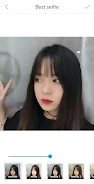
- Best selfie effect: This app has a feature that can make your skin smooth and shiny, perfect for taking stunning selfies.
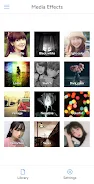
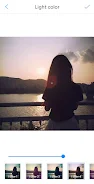
- Diverse effects and filters: Whether you prefer black and white, light colors, dark tones, lomo style, sketch, vintage, negative, colorful, distortion, sepia, or blur effects, this app has it all.
- Social sharing options: Once you're done editing your images and video clips, you can easily share them on popular social media platforms like Facebook, Instagram, YouTube, TikTok, and Twitter.
- User-driven improvement: The app encourages users to leave reviews and suggestions to help improve the app in future versions, ensuring a better user experience.
Conclusion:
The Photo & Video Effects Editor app provides a wide range of photo effects and filters, making it easy for users to create amazing photos and enhance their videos. With its user-friendly interface and social sharing options, it's a great choice for anyone looking to add a touch of creativity to their visual content. Leave your reviews and suggestions to help make this app even better! Click here to download and get started today.