Enhance Your Call of Duty: Black Ops 6 Visuals: A Guide to Sharper Graphics
Many Call of Duty players experience frustrating graininess and blurriness in Black Ops 6, impacting gameplay and immersion. This guide provides solutions to improve your visual experience.
Why the Grain and Blur?
If your hardware settings are optimal (highest resolution supported by your monitor), the issue likely stems from in-game settings. Updates can sometimes reset options, so even previously adjusted settings may need review. The key settings are located within the Graphics menu, specifically under the Display, Quality, and View tabs.
Eliminating Blur:
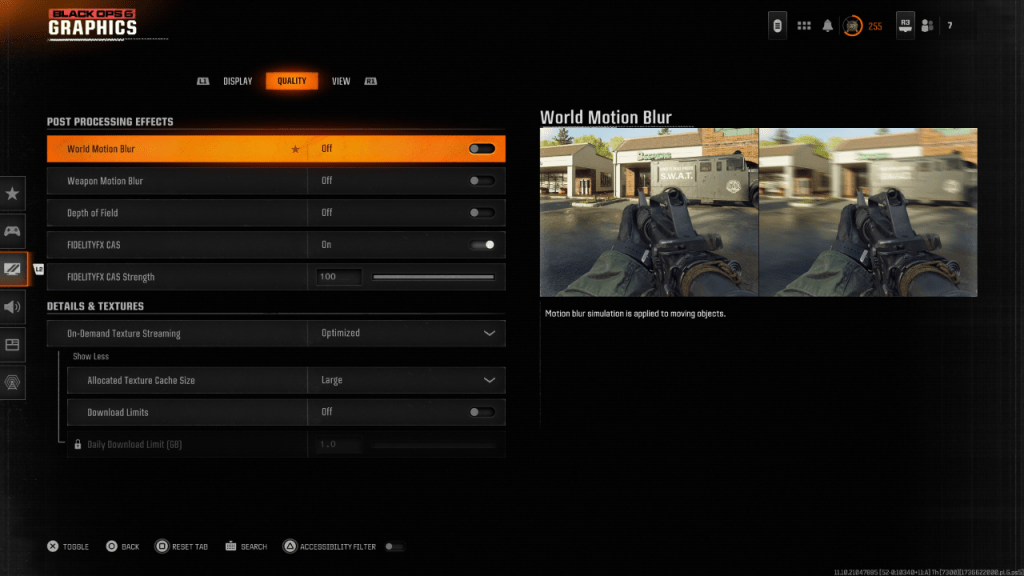
Motion Blur and Depth of Field, while enhancing cinematic appeal, often reduce clarity in fast-paced games like Black Ops 6. To disable them:
- Navigate to the Graphics settings, then the Quality tab.
- Locate "Post Processing Effects."
- Set "World Motion Blur," "Weapon Motion Blur," and "Depth of Field" to "Off."
Improving Clarity and Reducing Grain:
Incorrect gamma and brightness settings can significantly impact image quality.
- Go to the Display tab in the Graphics settings.
- Adjust the Gamma/Brightness slider until the Call of Duty logo (in the central panel) is barely visible. A value of 50 often works well, but adjust as needed for your specific display.
- In the Quality tab, ensure "FIDELITYFX CAS" is enabled. This utilizes AMD FidelityFX Contrast Adaptive Sharpening. While 50/100 is recommended, increasing to 100 might yield sharper results.
- If problems persist, examine your "On-Demand Texture Streaming" settings.
Optimizing Textures and Details:
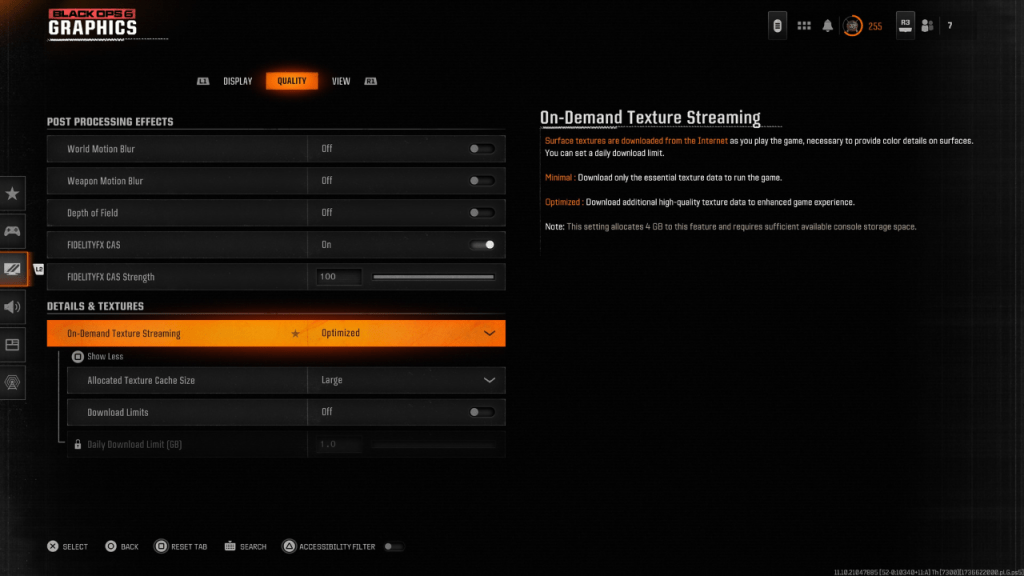
Black Ops 6's On-Demand Texture Streaming, while saving storage space, can compromise image quality. For optimal visuals:
- Access the Details & Textures settings within the Quality tab.
- Set "On-Demand Texture Streaming" to "Optimized." This downloads higher-quality textures.
- Click "Show More" to reveal additional options.
- Set "Allocated Texture Cache Size" to "Large" (this increases storage usage but allows more textures to be loaded simultaneously).
- Consider disabling "Download Limits" if your internet plan doesn't have data caps. This ensures continuous high-resolution texture downloads.
By following these steps, you can significantly improve the visual fidelity of Call of Duty: Black Ops 6, eliminating grain and blur for a smoother, more immersive gaming experience.