Unlocking the PlayStation VR2 on PC: A Comprehensive Guide
For PS VR2 owners eager to explore SteamVR's vast library, the $60 official adapter opens a world of PC VR gaming. However, connecting isn't always straightforward. While marketed as plug-and-play, some configurations require additional setup.
Prerequisites:
Before starting, ensure you have:
- PlayStation VR2 Headset
- PlayStation VR2 PC Adapter (includes AC adapter and USB 3.0 Type-A cable)
- DisplayPort 1.4 Cable (sold separately)
- Free USB 3.0 Type-A Port (avoid extension cables or external hubs, though a powered hub may work)
- Bluetooth 4.0 Capability (built-in or via an external adapter)
- Steam and SteamVR installed
- PlayStation VR2 App installed on Steam
- Two USB-C Charging Ports and Cables for Sense controllers (or the optional Sony charging station)
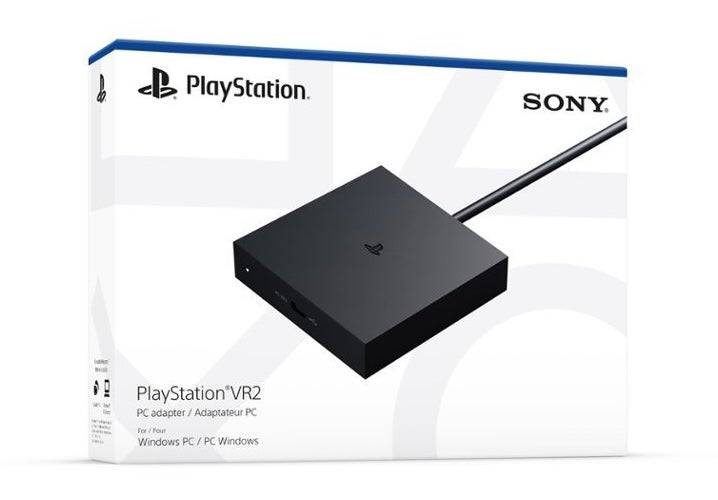
System Compatibility Check:
First, verify your PC meets Sony's minimum requirements using their official PS VR2 PC Adapter preparation page.
Step-by-Step Connection:
-
Install Software: Install Steam, SteamVR, and the PlayStation VR2 app.
-
Pair Sense Controllers:
- Enable Bluetooth on your PC (Settings > Bluetooth & devices).
- On each controller, hold the PlayStation and Create buttons until the light blinks.
- Add them as Bluetooth devices on your PC.
- If using an external Bluetooth adapter alongside a built-in one, disable the internal Bluetooth driver in Device Manager.
-
Connect the Adapter:
- Plug the adapter into a USB 3.0 Type-A port.
- Connect it to your GPU's DisplayPort 1.4 port using the provided cable.
- Connect the AC adapter and plug it into a power outlet. The adapter's indicator will turn solid red when powered on.
- Connect the PS VR2 headset to the adapter's USB-C port.
-
(Optional) Disable Hardware-accelerated GPU Scheduling: For newer GPUs (e.g., Nvidia RTX 40-series), disabling this setting in (Settings > System > Display > Graphics) might improve stability. Restart your PC afterward.
-
Launch and Configure:
- Power on the PS VR2 headset (hold the central button).
- Launch SteamVR and set it as your default OpenXR runtime.
- Open the PlayStation VR2 app to update controller firmware and configure the headset (play area, IPD, display distance, etc.).
Adapter Necessary?
Currently, a direct connection without the adapter is unreliable. While some users with specific older GPUs (around 2018) and VirtualLink reported success (Road to VR), this isn't a guaranteed method. The adapter remains the recommended and officially supported approach.